How Custom CAPTCHA Enhances Security in Salesforce Environments

April 15, 2026
23 Views
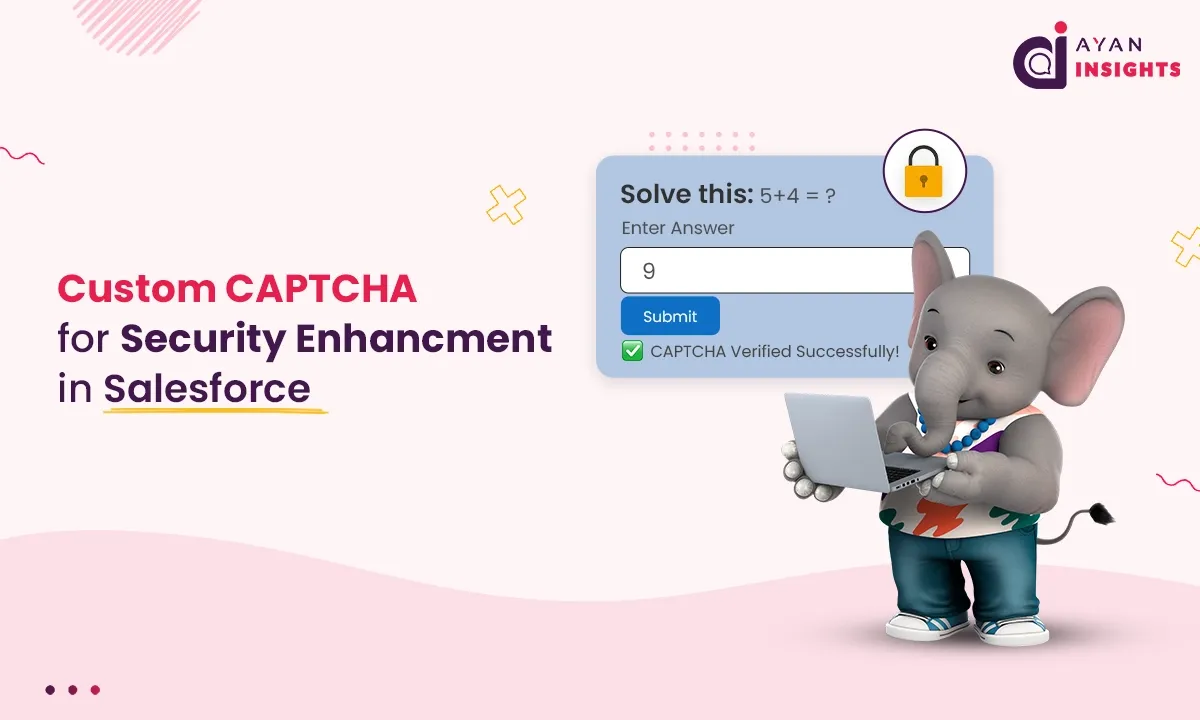
How Custom CAPTCHA Enhances Security in Salesforce Environments
Summarize this blog post with:

For public-facing Salesforce applications like Experience Cloud portals and Salesforce Sites, stopping automated bots from gaining access is a must.

Custom CAPTCHA serves as a first barrier to entry, limiting access to the system to genuine users only. It prevents very simple bots from reaching layers of security such as OTP/recaptcha.

Why Custom CAPTCHA is Important?

In absence of CAPTCHA verification, systems are exposed to:

  • Automated bot submissions
  • Brute-force attempts
  • Spam and fake requests
  • Unnecessary server load
  • A custom lightweight CAPTCHA already filters non-human traffic at an early stage.

What is Custom CAPTCHA?

Custom CAPTCHA is a basic human validation system constructed by employing some logic like:

  • Mathematical questions
  • Random text challenges
  • Logical puzzles

In this case a random math based CAPTCHA is used and the visitor needs to solve a simple addition problem.

What is Custom CAPTCHA?

User → Visualforce Page → CAPTCHA Display → User Input → Apex Validation → Allow / Block Access

User → LWC Component → Apex Controller → CAPTCHA Generation → UI Display → User Input → Validation (LWC/Apex) → Allow / Block Access

How It Works in Salesforce?

Step 1: Generate Random CAPTCHA

Two random numbers are generated in Apex using Crypto.getRandomInteger():

// CAPTCHA GENERATOR
num1 = Math.mod(Math.abs(Crypto.getRandomInteger()), 10);
num2 = Math.mod(Math.abs(Crypto.getRandomInteger()), 10);
Step 2(a): Display CAPTCHA on Visualforce Page

<b>Solve this:</b> {!num1} + {!num2} = ?
<br/>s
<apex:inputText value="{!userAnswer}" style="width:100px"/>
Step 2(b): Validate CAPTCHA in Apex Controller

// CUSTOM CAPTCHA VALIDATION
if(userAnswer == null || userAnswer != (num1 + num2)){
errorMessage = 'Invalid Captcha';
createInitialLog('Failed');
// regenerate captcha
num1 = Math.mod(Math.abs(Crypto.getRandomInteger()), 10);
num2 = Math.mod(Math.abs(Crypto.getRandomInteger()), 10);
return null;
}
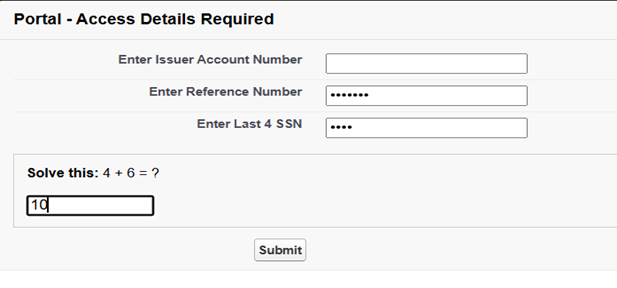
Step 2(c): Visualforce Output
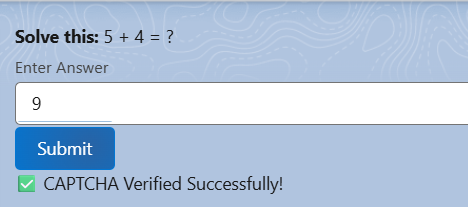
3a

This ensures the user must manually enter the correct answer.
Step 3(a): Display CAPTCHA on LWC
LWC HTML:

<template>
<div class="captcha-box">
<p><b>Solve this:</b> {num1} + {num2} = ?</p>
<lightning-input type="number" label="Enter Answer" value={userAnswer}
onchange={handleChange}>
</lightning-input>
<lightning-button label="Submit" variant="brand" onclick={validateCaptcha}>
</lightning-button>
<p class="error">{errorMessage}</p>
</div>
</template>
LWC JavaScript:

import { LightningElement, track } from 'lwc';
import generateCaptcha from '@salesforce/apex/CaptchaController.generateCaptcha';
export default class CaptchaLwc extends LightningElement {
@track num1;
@track num2;
@track userAnswer = '';
@track errorMessage = '';
connectedCallback() {
this.loadCaptcha();
}
loadCaptcha() {
generateCaptcha()
.then(result => {
this.num1 = result.num1;
this.num2 = result.num2;
this.errorMessage = '';
this.userAnswer = '';
})
.catch(error => {
console.error('Error loading captcha', error);
});
}
handleChange(event) {
this.userAnswer = event.target.value;
}
validateCaptcha() {
let correctAnswer = this.num1 + this.num2;
if (parseInt(this.userAnswer) === correctAnswer) {
this.errorMessage = '✅ CAPTCHA Verified Successfully!';
} else {
this.errorMessage = '❌ Wrong Answer. Try Again!';
this.loadCaptcha(); // regenerate on failure
}
}
}
LWC Output:
This guarantees the user has to type in the correct answer.

3a

Step 4: Regenerate CAPTCHA on Failure

If the user inputs an incorrect response:

  • CAPTCHA is regenerated
  • Error message is displayed
  • User must try again
Key Features

The Custom CAPTCHA solution offers a secure and efficient way to protect Salesforce applications from bots and automated attacks, while maintaining a smooth and user-friendly experience.

  • Dynamic CAPTCHA generation
  • Lightweight and fast
  • No external API dependency
  • Easy to implement in Apex & Visualforce
  • Seamless user experience

Security Benefits

Custom CAPTCHA adds an extra layer of protection to Salesforce applications by filtering out automated and malicious activities at the initial stage, ensuring that only genuine users can proceed further. Custom CAPTCHA strengthens Salesforce security by:

  • Blocking basic bots at entry level
  • Reducing spam submissions
  • Preventing brute-force attempts
  • Saving server resources
  • Acting as a pre-validation layer

7

Use Cases

Custom CAPTCHA can be effectively used in:

  • Experience Cloud Portals
  • Salesforce Sites
  • Login / Registration Pages
  • Public Forms
  • Financial & Sensitive Applications

Best Practices

To make Custom CAPTCHA more effective:

  • Regenerate CAPTCHA after each failure
  • Combine with advanced security (like reCAPTCHA & OTP)
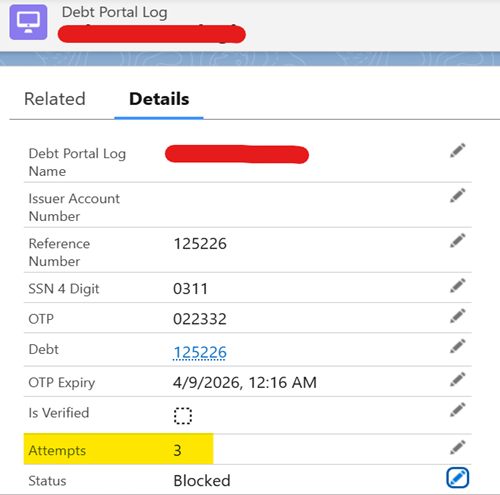
  • Log failed attempts for monitoring
  • Keep questions simple but dynamic

Log failed attempts for monitoring:

9

Conclusion

Custom CAPTCHA provides a simple yet powerful way to secure Salesforce applications at the entry level.
With a dynamic math based CAPTCHA, we can effectively screen out bots and allow only real users to continue further in the system.

How useful was this post?

Click on a star to rate it!

Average rating 0 / 5. Vote count: 0

No votes so far! Be the first to rate this post.

Written by

Dev Anand

A dynamic engineer, innovative thinker, initiative taker and multi technology professional with exceptional logical, analytical and management skills possess a decade experience in Software Development and Salesforce CRM Solutioning. Enrich experience in converting business needs to Salesforce Experience. Worked on multiple RFPs and POCs. 50+ Integrations between Salesforce and other Platforms. Experience in LWC, Aura, Apex, JS, HTML, PHP, WordPress, Magento and many others.

Get the latest tips, news, updates, advice, inspiration, and more….

Contributor of the month
contributor
Mykyta Lovygin

SFCC Developer | SFCC Technical Architect | Salesforce Consultant | Salesforce Developer | Salesforce Architect |

...
Categories
...
Boost Your Brand's Visibility

Want to promote your products/services in front of more customers?

...

Leave a Reply

Your email address will not be published. Required fields are marked *