Top Salesforce Slack Interview Questions You Must Know in 2026

April 01, 2026
96 Views
Top Salesforce Slack Interview Questions You Must Know in 2026
Summarize this blog post with:

Salesforce Slack is quickly becoming a basic requirement as organisations move to a faster collaboration and AI-enabled way of working. Businesses don’t just need a CRM dashboard; they want their teams to work directly with data in real time, conversation by conversation. Tools like Slack and Salesforce are changing the game for sales, support, and operations.

You need to know conversational CRM, Slackbot automation, Salesforce Channels, and AI-powered workflows to survive as a candidate. This blog provides you with top Slack + Salesforce interview questions with a designed answer structure to prepare for the 2026 job search.

1. What is Slack?

Answer:

Slack is a cloud-based collaboration platform that enables teams to communicate via channels, direct messages, and integrations. It acts as a central hub for work, combining messaging, file sharing, and automation.

2. How does Slack reduce “context switching”?

Answer:

By integrating tools like Salesforce into one platform, Slack eliminates the need to switch between multiple apps, saving time and improving productivity.

3. What is Slack CRM?

Answer:

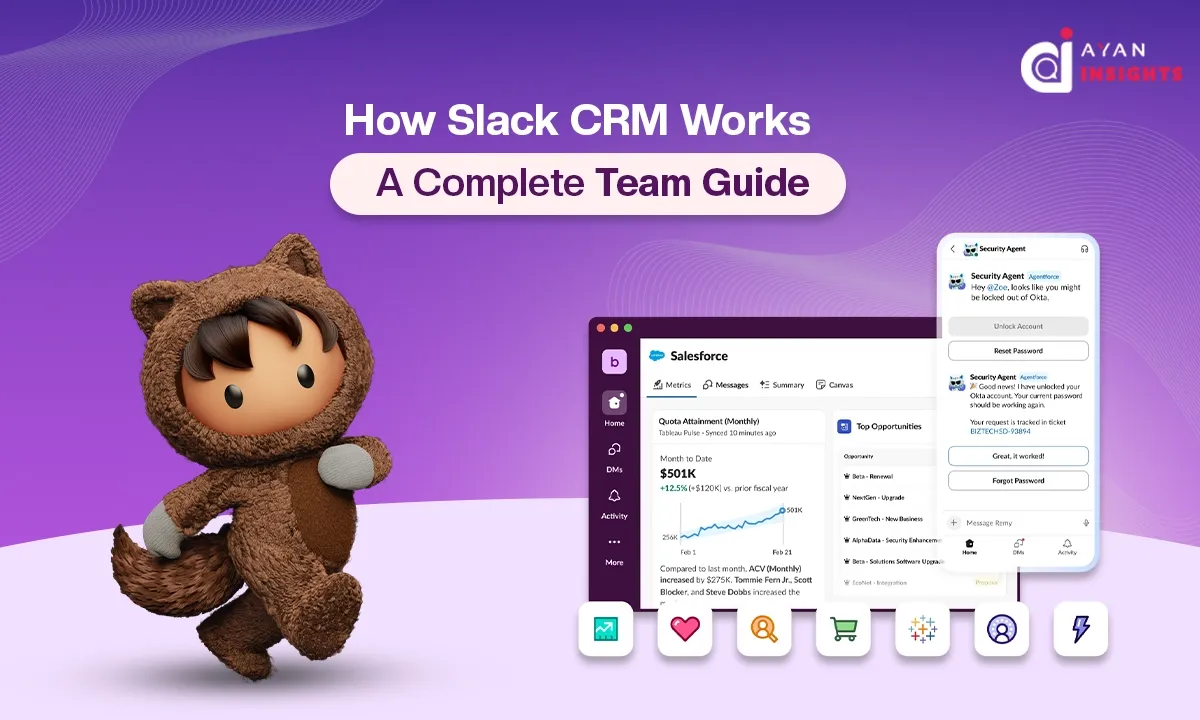
Slack CRM refers to the integration of Salesforce with Slack, where CRM data and workflows are accessible directly inside Slack conversations, enabling users to interact with CRM without leaving Slack.

4. Why did Salesforce acquire Slack?

Answer:

Salesforce acquired Slack to transform CRM into a collaborative, conversational platform. The goal was to bring customer data into everyday communication and reduce dependency on traditional dashboards.

5. Why is Slack useful in organisations?

Answer:

Slack improves team collaboration, reduces email overload, enables real-time communication, and integrates with multiple tools like Salesforce, making workflows faster and more efficient.

6. How does Salesforce Slack work in real-world business environments?

Answer:

Slack integrates with Salesforce via APIs and native apps, allowing users to:

  • View records
  • Update data
  • Receive alerts
  • Collaborate on deals
all directly within Slack.

7. What are Salesforce Channels in Slack?

Answer:
Salesforce Channels are Slack channels linked to specific CRM records (like accounts or opportunities), where teams can collaborate and access real-time CRM data in one place.

8. What is the benefit of using Slack instead of Salesforce UI?

Answer:

Slack reduces context switching. Instead of navigating complex CRM interfaces, users can perform actions conversationally, saving time and improving adoption.

9. What kind of data can you access from Salesforce in Slack?

Answer:

  • Leads and Opportunities
  • Accounts
  • Cases
  • Reports and dashboards
  • Activity updates

10. What are Slack notifications in Salesforce?

Answer:

They are automated alerts sent to Slack channels or users when changes occur in Salesforce, such as deal updates, new leads, or case escalations.

11. What are Slack slash commands?

Answer:

Custom commands (e.g., /deal status) that trigger actions or fetch data from integrated systems like Salesforce.

12. How does Slackbot work with Salesforce Slack integration?

Answer:

Slackbot can fetch CRM data, answer queries, and trigger workflows using Salesforce integration, acting as a conversational interface to CRM.

13. What is the role of AI in Slackbot?

Answer:

AI enables Slackbot to:

  • Understand natural language
  • Summarise conversations
  • Suggest actions
  • Automate workflows

14. What is the role of Agentforce in Slack?

Answer:

Agentforce powers AI agents that automate workflows, provide recommendations, and act on behalf of users within Slack, making processes more efficient.

15. How does Slackbot improve productivity?

Answer:

It reduces manual work by automating repetitive tasks, providing instant answers, and enabling users to interact with systems like Salesforce using simple commands.

16. How do sales teams use Slack with Salesforce?

Answer:

  • Track deals in real time
  • Collaborate on opportunities
  • Get alerts on pipeline changes
  • Update CRM without leaving Slack

17. How does Slack help customer support and teams?

Answer:

Support teams use Slack for case swarming, where multiple experts collaborate in real time to resolve customer issues using shared CRM data.

18. How is Slack used in marketing with Salesforce?

Answer:

Marketers receive campaign updates, track lead performance, and collaborate on strategies using Slack integrated with Salesforce Marketing Cloud.

19. How does Slack improve decision-making?

Answer:

Slack provides real-time data and AI insights directly in conversations, enabling faster and more informed decisions.

20. What is the architecture of Slack-Salesforce integration?

Answer:

It consists of:

  • Slack (UI layer)
  • Salesforce (data layer)
  • APIs (integration layer)
  • AI (Agentforce/Slackbot layer)

21. What are Slack workflows?

Answer:

Slack workflows are automated processes that can be triggered by events, such as sending alerts or updating Salesforce records.

22. How is security handled in Slack-Salesforce integration?

Answer:

Security is managed through:

  • OAuth authentication
  • Role-based access control
  • Data encryption
  • Compliance policies

23. How would you explain Slack CRM to a non-technical stakeholder?

Answer:

It’s like bringing Salesforce into WhatsApp-style chat, where your team can see and update customer data without leaving conversations.

24. What are the limitations of Slack CRM?

Answer:
  • Dependency on Slack adoption
  • Data governance concerns
  • Learning curve for new users

25. What is the future of Slack and Salesforce together?

Answer:

The future is AI-driven, where Slack becomes the primary interface for business operations, and Salesforce works in the background as a data engine powered by intelligent agents.

Final Thoughts

The integration of Slack with Salesforce is more than just a technological improvement; it’s the new normal of how businesses function today. The CRM system is no longer a separate system into which teams log on from time to time. It is being woven into everyday conversations, enabled by automation and AI.

For interview prep of candidates, the focus should be shifted from feature memorisation to learning the bigger picture, the productivity gains of conversational CRM, less manual effort & faster, data-based decisions. Slackbot automation, real-time collaboration & AI-based workflows by Accounts like Agentforce are now part of the knowledge base.

As companies adopt smarter connected systems, people who can connect communication tools to CRMs will be in high demand. Understanding Slack + Salesforce today is getting you ready for the future of work, where conversations, data, and actions converge in one smart workspace.

How useful was this post?

Click on a star to rate it!

Average rating 0 / 5. Vote count: 0

No votes so far! Be the first to rate this post.

Written by

Priya Bansal

Salesforce Technical Architect - Lightning (Aura & LWC) Specialist | Pardot | Salesforce Integrations | Sales/Service/Community Cloud Expert | Salesforce Apps (AppExchange) Developer

Get the latest tips, news, updates, advice, inspiration, and more….

Contributor of the month
contributor
Garima Chaturvedi

Marketing lead | CDP lead | SFMC | Martech | Automation | Cert. SF Data cloud consultant

...
Categories
...
Boost Your Brand's Visibility

Want to promote your products/services in front of more customers?

...

Leave a Reply

Your email address will not be published. Required fields are marked *