How Does Journey Builder Work?
Now that we have talked about what Journey Builder is and what it does, let’s explore how it works within Salesforce.
-
Stage 1: Define the Purpose
- Before you embark on the journey, it is necessary to articulate intentions, something you must be familiar with.
- Here are a few examples of goals: improving customer interaction, especially through emails, enhancing retention, or increasing conversion of sales.
- Any given objectives clearly define that the journey would run parallel to the marketing and business goals.
-
Step 2: Audience Segmentation
Once the goal has been established, the next step is to segment your audience. Thanks to the CRM capabilities of Salesforce, one can be able to create extremely particular audience segments based on criteria such as:
- Demographics (age, gender, location)
- Behavioral data (previous interactions, website visits)
- Engagement history, i.e., opens, clicks, etc. The segmentation thereby allows one to reach out to the customer with the most meaningful message, thus enhancing the overall efficiency of the campaign.
-
Step 3: Creating the Journey
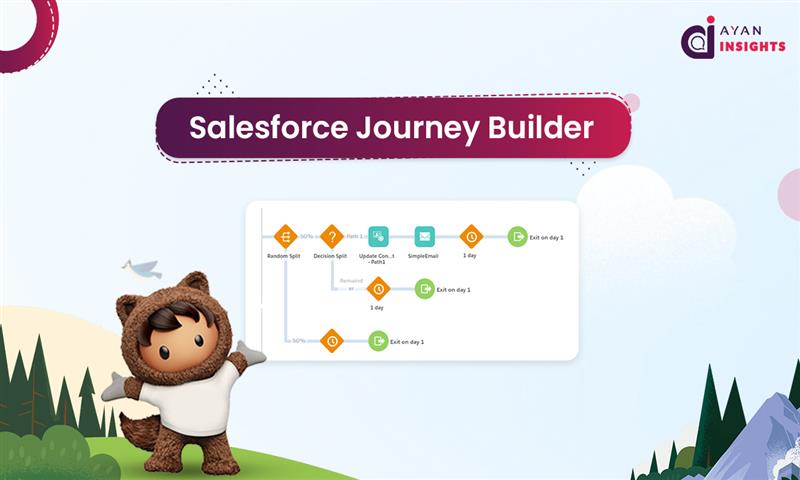
- You put together a journey through Journey Builder by dragging and dropping its different components to create it.
- Registration can serve as a good starting point to self-journey with the team.
- Every stage would involve activities like sending emails, SMSs, or updating Salesforce records.
-
Step 4: Monitoring and Optimization
- The journey is now live, with real-time monitoring of every action taken by marketing.
- Journey Builder provides you with analytic and reporting functionality through which we can assess the interaction of customers at every step of the journey.
- With this information, we can start to hunt for bottlenecks and improvement opportunities, ensuring the journey can continue to provide value.
-
Step 5: Reiterate and Improve
- Of its very nature, marketing is continuous, and Journey Builder makes it very easy to iterate.
- Companies can tweak their trips based on how well they’re doing, what customers are saying, or changes in their business plans.
- However, customer journeys do stay relevant and effective over time.
Benefits of Using Salesforce Journey Builder in marketing cloud
Salesforce Journey Builder empowers marketers to deliver personalized, automated, and data-driven customer experiences. Here are the top benefits of using Journey Builder for your marketing strategy:
1. Personalized Customer Journeys
Journey Builder allows you to create tailored journeys based on customer behavior, preferences, and lifecycle stage. Each interaction can be customized to match your audience’s unique needs — helping you build deeper, more meaningful relationships.
2. Cross-Channel Automation
Manage all your customer touchpoints from a single platform — including email, SMS, push notifications, ads, and social media. This unified automation ensures consistent messaging across every channel your customers use.
3. Real-Time Customer Engagement
Journey Builder uses real-time data from Salesforce CRM to trigger timely and relevant messages. Whether it’s a welcome email or a cart-abandonment reminder, automation ensures no opportunity is missed.
4. Seamless Integration with Salesforce Ecosystem
As part of the Salesforce Marketing Cloud, Journey Builder integrates seamlessly with Sales Cloud, Service Cloud, and other Salesforce products — giving you a complete view of every customer interaction.
5. Better ROI with Data-Driven Insights
Journey Builder provides detailed analytics to track engagement, conversions, and customer satisfaction. These insights help refine future campaigns and improve overall marketing ROI.
6. Scalable for Every Business
From startups to large enterprises, Journey Builder scales effortlessly. You can start with simple workflows and gradually expand into complex, multi-step journeys as your business grows.