Salesforce Summer ’26: 7 Features Your Users Will Thank You For

July 07, 2026
163 Views
Salesforce Summer ’26: 7 Features Your Users Will Thank You For
Summarize this blog post with:

Salesforce Summer ’26 release went live in June 2026, and it’s not the kind of release that leads with a splashy platform redesign. Instead, it’s a batch of smaller, practical upgrades, the kind that don’t make headlines but quietly save your users an hour a week once they know they exist.

That’s the catch, though: none of these features announce themselves. Reps and admins won’t stumble onto them by accident. If you want your org to actually benefit, someone has to point them out.

So here are the seven updates worth putting in front of your users this week, what they do, why they matter, and what you need to turn them on.

1. Activity Heatmap: Know Which Deals Are Going Cold

The problem it solves: Reps think they know who they’ve followed up with. They’re usually wrong. Activity data lives scattered across emails, calls, and calendar invites, and nobody has time to piece it together deal by deal.

What’s new: Pipeline Inspection now has a color-coded Activity column that visualizes engagement over a rolling 30-day window.

  • Covers calls, video meetings, events, and emails
  • Tracks both inbound and outbound activity
  • Surfaces warming up vs. going cold relationships at a glance, no manual digging required

To enable it, you will need:

  • Einstein Activity Capture
  • Einstein Conversation Insights
  • Activity data stored natively on the Salesforce platform (not synced externally)

Admin tip: If your org hasn’t turned on Einstein Activity Capture yet, that’s the real prerequisite here, budget time for that setup before promising this to your sales team.

2. Two Row-Level Formulas Per Report (Up From One)

The problem it solves: Report builders have long been stuck choosing one calculated metric per report. Need both a commission rate and a deal-aging number? Too bad, you’d have to build a second formula field on the object just to fit it in.

What’s new: Reports now support two independent row-level formulas side by side, calculated directly in the report, no extra object-level fields required.

  • Example: show commission % and time-to-close in the same view
  • Cuts down on formula-field clutter across your org
  • Especially useful for sales ops and finance teams building hybrid reports

This is a small technical tweak, but if your report builders have ever complained about workarounds, this is the fix.

3. Shared List Views Just Got a Lot Easier to Collaborate On

The problem it solves: Sharing a list view used to be all-or-nothing. Either someone had the broad Manage Public List Views permission (which comes with a lot more access than most people need), or they couldn’t touch a shared view at all.

What’s new: Two changes, both aimed at giving teams more control without over-provisioning access:

  • A new Setup option (under User Interface) lets shared list views be edited by anyone who already has the Create and Customize List Views permission
  • A new, narrower permission, Manage Shared List Views, lets users share their own personal list views with specific roles, groups, or territories

Why it matters: Team leads can now manage their own shared views without an admin needing to grant them org-wide list view control. That’s a real reduction in admin overhead.

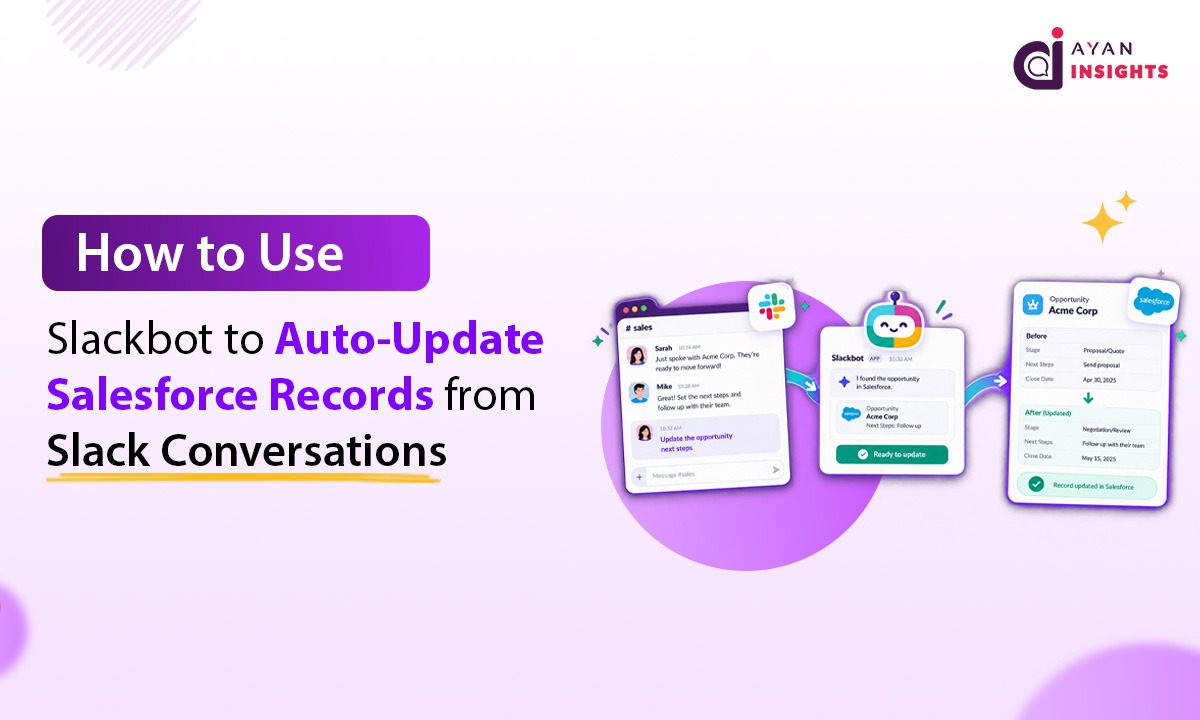
4. Run Approvals Without Ever Leaving Slack

The problem it solves: Approval processes, expense sign-off, discount approval, contract review, usually mean bouncing out of whatever tool you’re working in to go log into Salesforce.

What’s new: Approvals can now be actioned entirely inside Slack.

  • Approve, reject, or leave a comment without opening Salesforce
  • Real-time notifications for both submitters and approvers as decisions happen
  • Everything still logs back to the record via the Approval Trace component, so nothing is lost for audit purposes

Requirements:

  • Connect Salesforce with Slack permission
  • Read access to the Approval Submission object (for both approvers and submitters)
  • Works with both Advanced Approvals and standard Flow-based approval processes
  • Available in Lightning Experience, Enterprise, Performance, Unlimited, and Developer editions

Admin tip: This is a great one to demo live in a team meeting. Watching an approval get resolved in Slack in under 10 seconds tends to convert skeptics fast.

5. Brand Colors, Applied Automatically Across Reports and Dashboards

The problem it solves: Making dashboards match brand guidelines has always meant manually recoloring chart after chart.They are, easy to get inconsistent, and the first thing that goes stale when a company rebrands.

What’s new: Admins can define a brand color theme once and apply it everywhere.

Setup (admin side):
  1. Go to Setup → search Themes and Branding
  2. Create or update a theme
  3. Define and activate your brand colors
Usage (user side):
  • In reports: open chart properties → select Brand
  • In dashboards: choose Branding under palette options
The payoff:
  • Faster dashboard building
  • Consistent look across every team’s reports
  • Better accessibility and readability
  • A noticeably more polished, professional feel org-wide

Once users apply it once, they generally don’t go back to manual coloring.

6. Slack’s New “Today” View: A Landing Page for Your Actual Priorities

The problem it solves: Opening Slack usually means diving straight into channel noise with no sense of what actually matters today.

What’s new: Today is a personalized, AI-powered landing page that opens when users log into Slack, bringing together:

  • Upcoming meetings for the day
  • Priority action items and to-dos
  • Relevant team updates and highlights
AI does some real work here:
  • Surfaces messages that may have gone unanswered or gotten buried, so users can clear them quickly
  • Includes a “Prep for meeting” option that gathers context and talking points before a call
  • Adapts over time, the more users interact with it, the more relevant what’s surfaced becomes
  • Users can hide sections irrelevant to their role, keeping the view lean

Heads up: Today’s availability depends on your organization’s Slack plan tier. Check before you promote this org-wide, you don’t want to build hype for a feature half your team can’t access.

7. Can Now Record and Auto-Summarize In-Person Meetings

The problem it solves: In-person meetings force an awkward trade-off: take notes and half-listen, or stay fully present and lose the details afterward.

What’s new: Using the Salesforce mobile app, reps can record in-person conversations directly on their device. Einstein Conversation Insights then automatically:

  • Transcribes the conversation
  • Analyzes it for key themes and context
  • Generates summaries and follow-up action items, feeding directly into pipeline and coaching workflows
How to enable it:
  1. Go to Salesforce Go
  2. Search for Einstein Conversation Insights under Features
  3. Turn on In-Person Meetings support

Availability: Starter, Pro, Enterprise, Performance, Unlimited, and Agentforce 1 Sales editions.

Requirements: Einstein Conversation Insights access + the Salesforce mobile app

This is one of the more meaningful quality-of-life upgrades for field sales teams in this release, it removes the choice between note-taking and actually listening.

Rolling This Out to Your Users: A Quick Checklist for Salesforce Summer ’26

Before you announce all seven features in one email that nobody reads, consider staggering the rollout:

  • Week 1: Activity Heatmap and the second row-level formula, these need zero behavior change, just visibility
  • Week 2: Shared list view permissions and brand color themes, admin-driven, low lift for end users
  • Week 3: Slack approvals and Today, these change daily habits, so give people time to adjust
  • Week 4: Mobile meeting transcription, demo it live if you can; it’s the kind of feature people believe once they see it work

Conclusion

Summer ’26 isn’t a release that reinvents how Salesforce works, it’s a release that removes friction from things your users already do every day, chasing deal activity, building reports, sharing views, approving requests, matching brand colors, starting the workday, and capturing meetings. None of these features will make it into a keynote, but stacked together, they’re the kind of updates that make people quietly stop complaining. If you only have time to roll out a few, start with the Activity Heatmap and Slack approvals, they’re the two most likely to get an immediate “finally” from your team.

How useful was this post?

Click on a star to rate it!

Average rating 0 / 5. Vote count: 0

No votes so far! Be the first to rate this post.

Written by

Mohit Bansal

Salesforce Technical Architect | Lead | Salesforce Lightning & Integrations Expert | Pardot | 5X Salesforce Certified | App Publisher | Blogger

Get the latest tips, news, updates, advice, inspiration, and more….

Contributor of the month
contributor
Rohit Mehta

3x Certified Salesforce Developer || Apex || LWC

...
Categories
...
Boost Your Brand's Visibility

Want to promote your products/services in front of more customers?

...

Leave a Reply

Your email address will not be published. Required fields are marked *