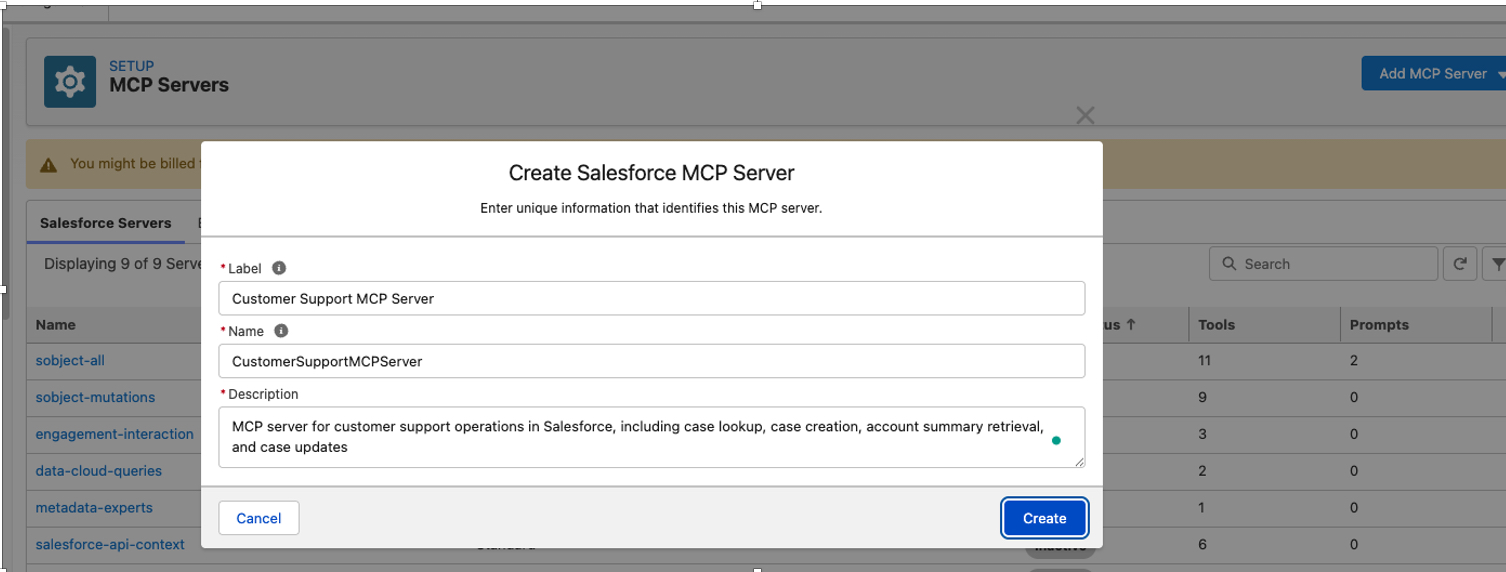
Customer Support MCP Server
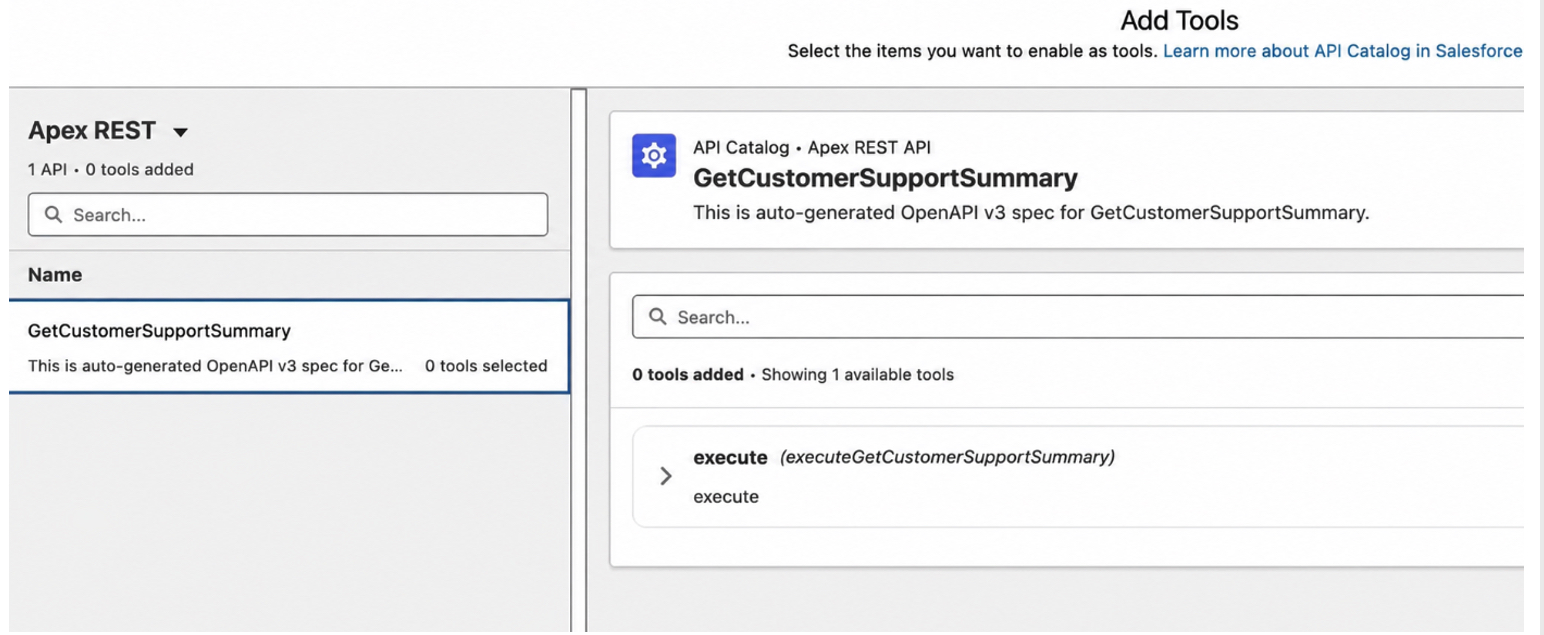
This server will contain four tools:
| Tool name |
Backing technology |
Purpose |
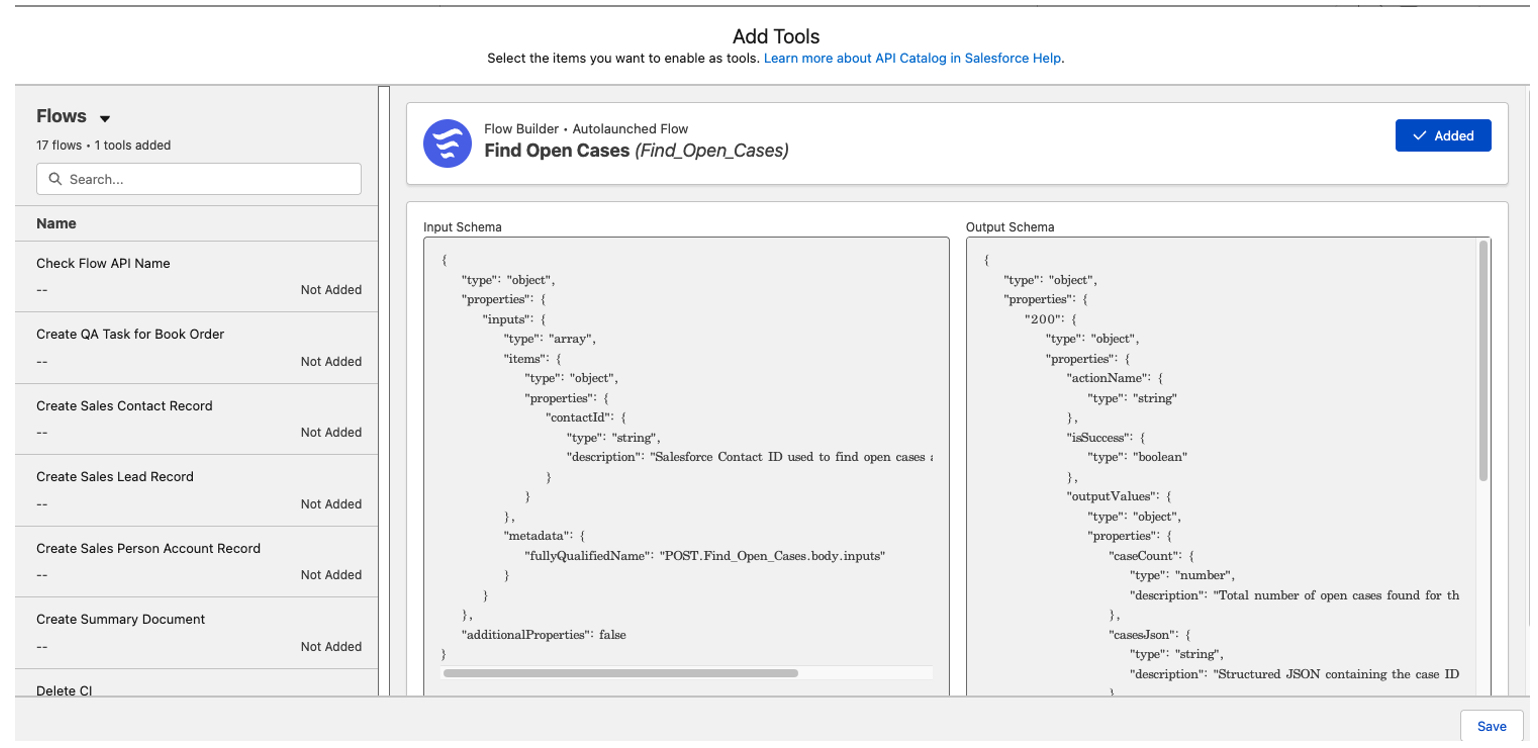
| find_customer_cases |
Autolaunched Flow |
Retrieve open cases for a contact |
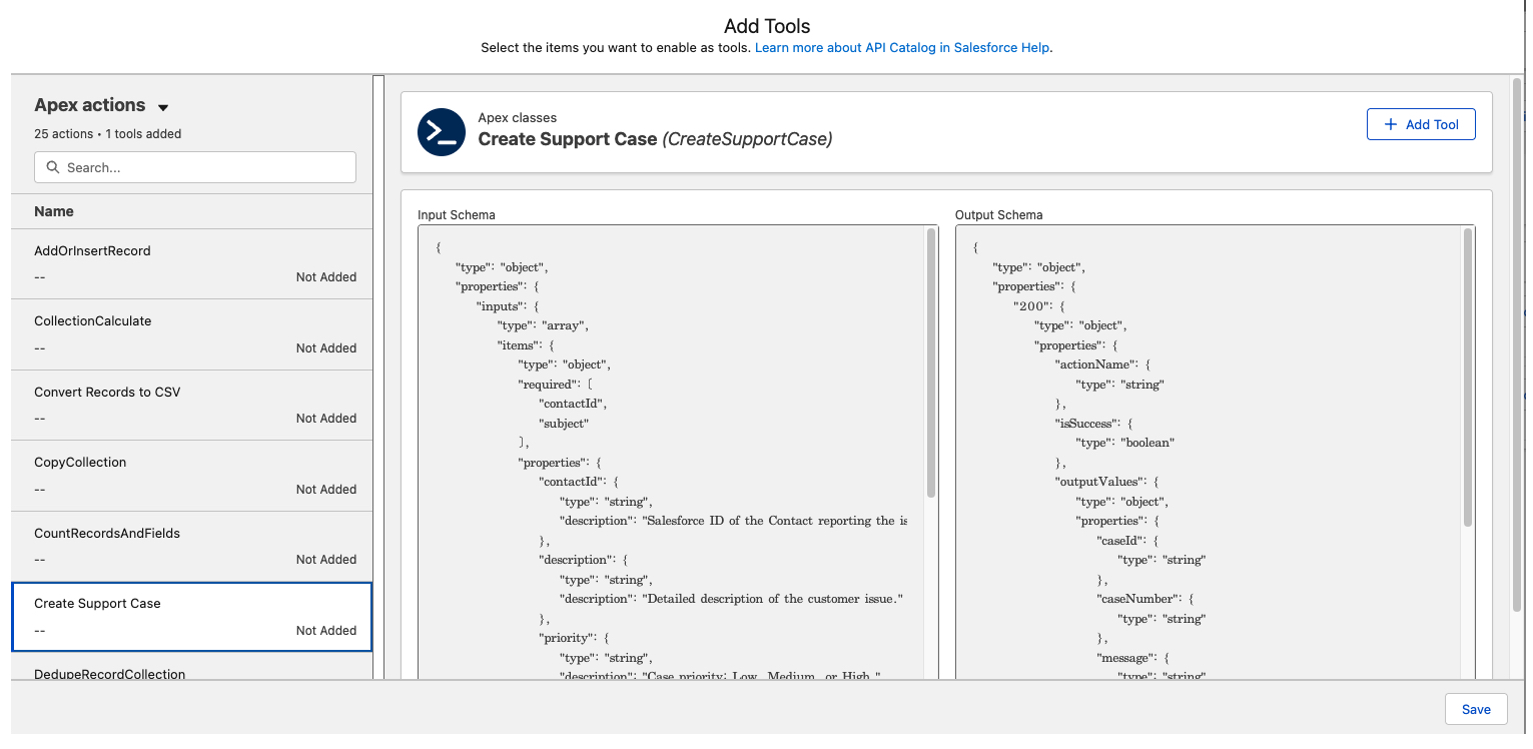
| create_support_case |
Apex Invocable Action |
Validate inputs and create a case |
| get_account_summary |
Named Query or API Catalog endpoint |
Return controlled account information |
| escalate_support_case |
Apex Action or Flow |
Apply escalation rules and update the case |
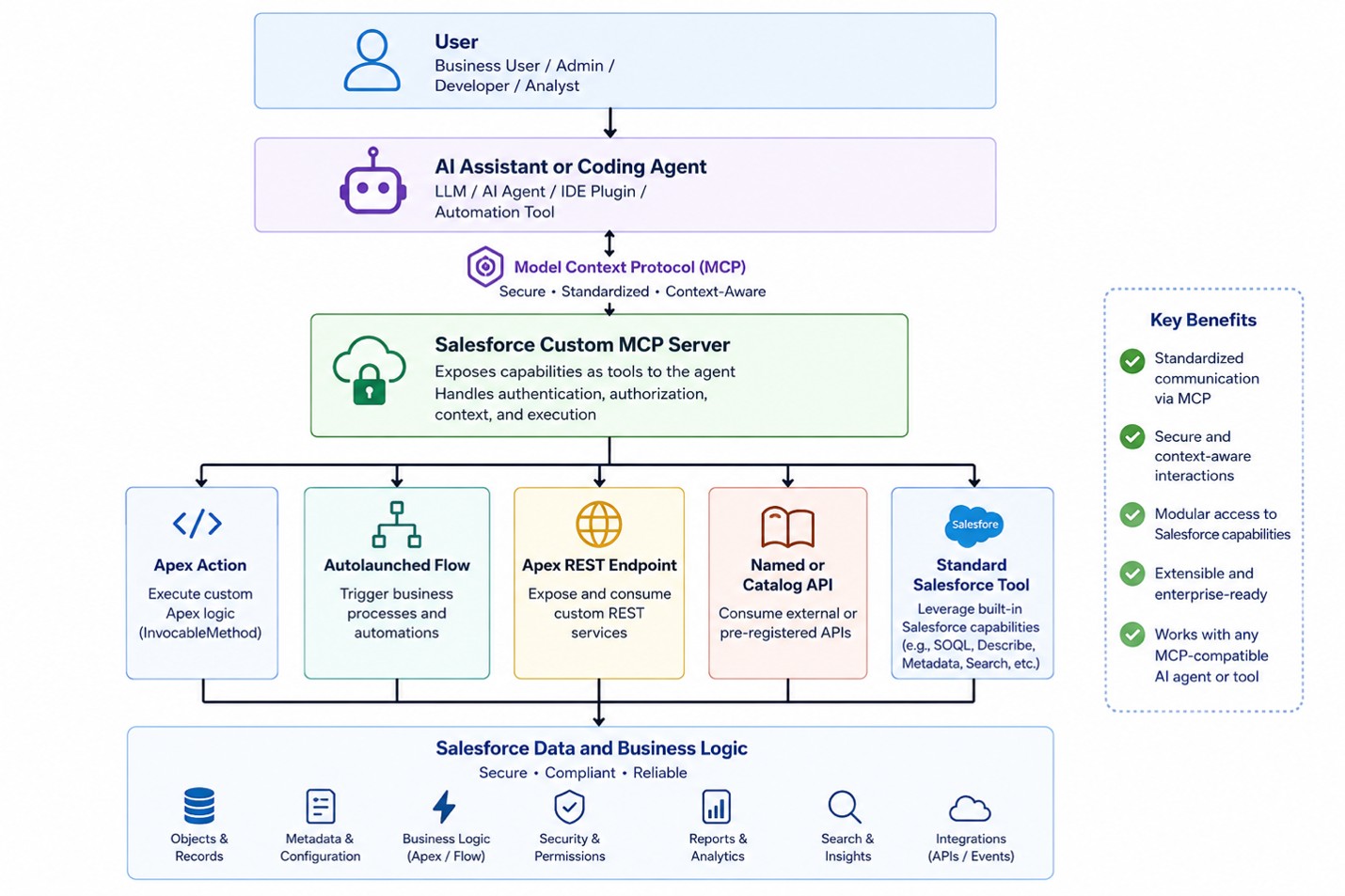
A support representative can ask an AI assistant to find a customer’s open issues, create a case, summarize the account, or escalate an urgent problem. The assistant uses the appropriate Salesforce MCP tool rather than attempting to directly manipulate Salesforce data.
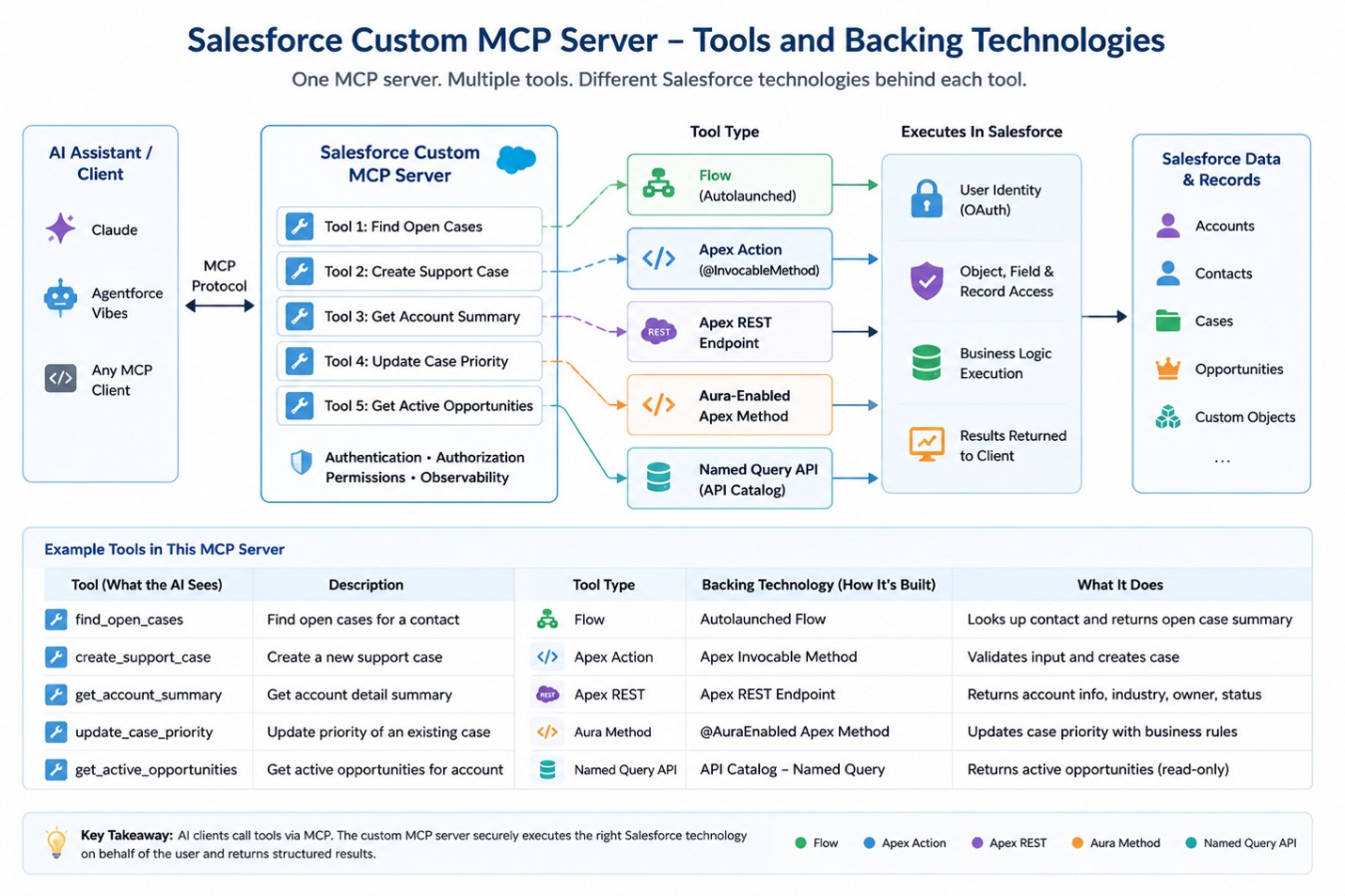
Here is a visual representation of the tools and backend technologies that can be used for this use case.
PS – Only auto launched Flows can currently be exposed through this mechanism. The Flow must define its input and output variables. Screen Flows and scheduled Flows are not supported as custom MCP tools. Please review the latest Salesforce documentation on this topic, including key considerations, limitations, implementation details, and recommended best practices.
Tool Names and Descriptions Matter
The salesforce documentation emphasizes that the tool name and description are as important as the underlying implementation because the AI client uses this information to decide which tool to select.
| Element |
Weak Example |
Better Example |
| Tool Name |
caseAction |
create_support_case |
| Tool Description |
Creates case |
Creates a Salesforce support case for an existing Contact. Use this tool only after the user confirms the subject and issue description. Do not use it to update or close an existing case. |
Assemble the Custom Server
Custom servers can also combine tools from different standard Salesforce servers and organization-specific capabilities under one URL.
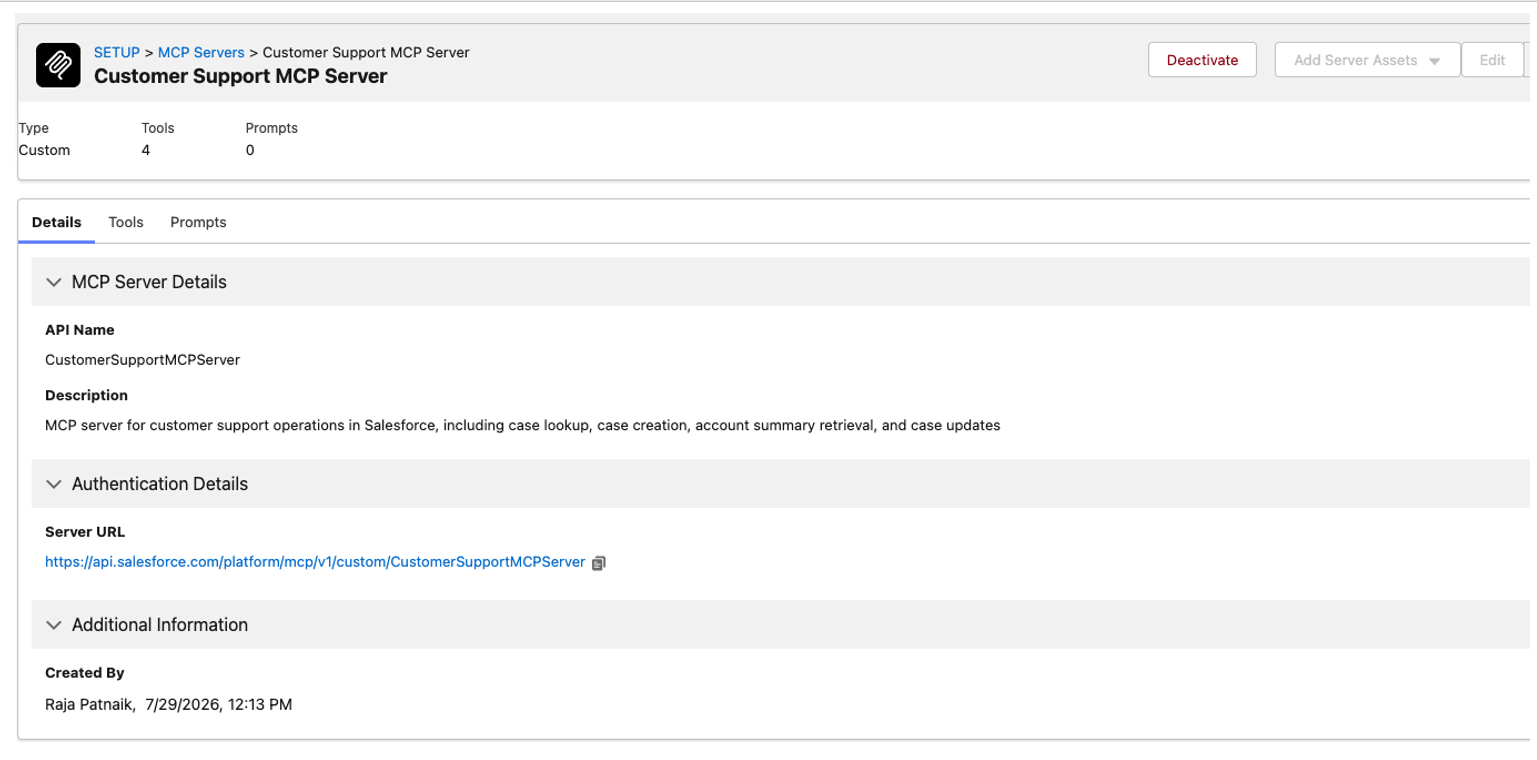
In this example, a single endpoint provides access to four specific tools instead of exposing a large set of information that may not be relevant to the task.
https://api.salesforce.com/platform/mcp/v1/custom/CustomerSupportMCPServer
Salesforce also states that custom server configurations can be moved between environments using Metadata API, which should be included in a deployment and lifecycle-management section.
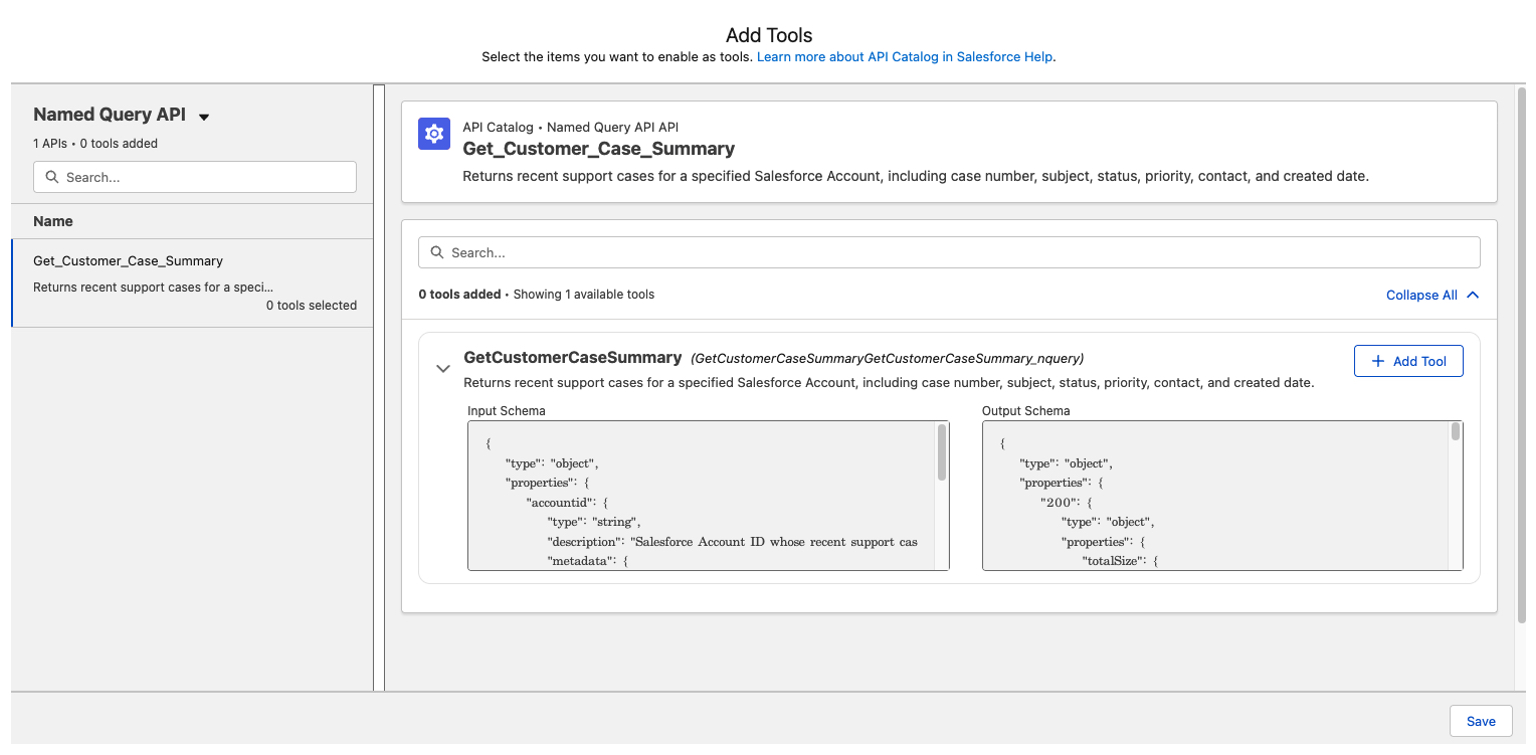
Below are screenshots showing how to create a Salesforce Custom MCP Server and add specific tools to it.
Connect the MCP Client
An MCP-compatible AI client can now securely connect to the Salesforce-hosted MCP server using an external client application, OAuth authentication, and the server URL.
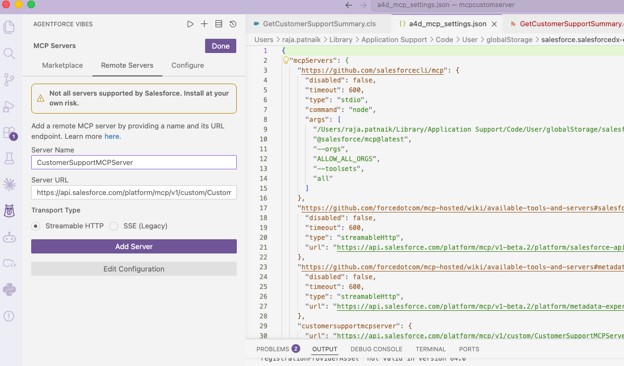
Add MCP Custom Server URL in Visual Studio
Within the same Salesforce-connected Visual Studio Code instance, we can connect to the newly created Custom Remote MCP Server and access all the tools and capabilities it exposes.
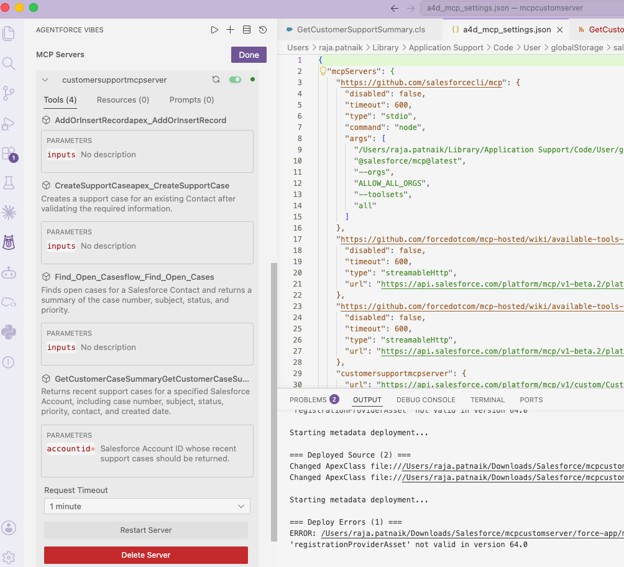
Once it’s successfully added. You can view all the tools.
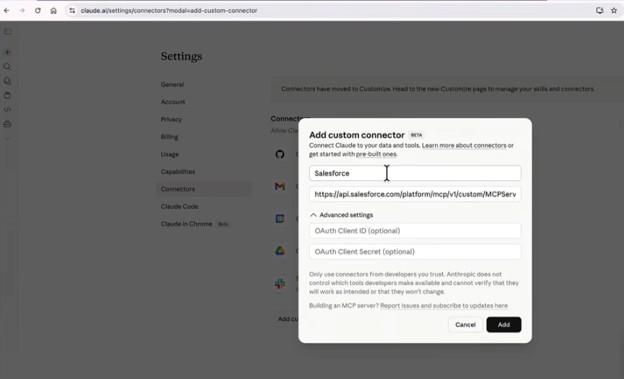
Similarly, the Custom MCP Server can be integrated with Claude using an External Client App, OAuth Client ID, and Client Secret. Refer to my blog for detailed setup instructions:
https://ayaninsights.com/guestblogs/connecting-claude-with-salesforce/