How to Set Up GitHub Authentication and Repository Access in Salesforce DevOps

June 17, 2026
47 Views
How to Set Up GitHub Authentication and Repository Access in Salesforce DevOps

In the previous blog, we completed the DevOps Center setup.
Now, before creating projects and pipelines, we need to connect DevOps Center with GitHub.

This step is important because DevOps Center uses GitHub for version control and change tracking.

In this blog, we will cover:

  • Why GitHub login is required
  • How DevOps Center connects to GitHub
  • Connect or create repository
  • Step-by-step GitHub authorization
  • Common issues and fixes

Why GitHub Login is Required

DevOps Center uses GitHub to:

  • Store your code and metadata
  • Track changes (version control)
  • Manage branches automatically
  • Enable team collaboration

Without GitHub, DevOps Center cannot function properly.

How DevOps Center Connects to GitHub

DevOps Center connects to GitHub using OAuth authorization.

Simple terms:

You give permission to Salesforce to access your GitHub account securely.

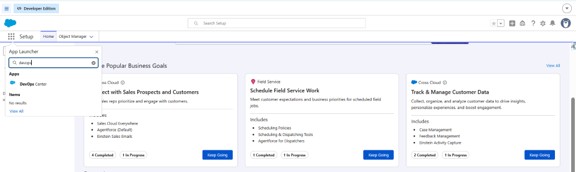
Step 1: Open DevOps Center
  1. Go to App Launcher
  2. Search for DevOps Center
  3. Open the app

Picture2 2

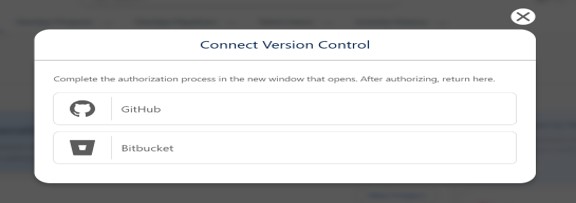
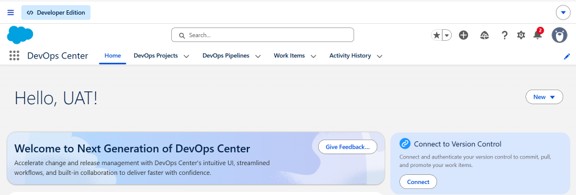
Step 2: Start GitHub Authorization
  1. Go to Projects tab
  2. Click New Project
  3. Click Connect to GitHub or Version Control
Picture3 2

Step 3: Login to GitHub
  1. A GitHub login page will open
  2. Enter your GitHub username and password
  3. Click Sign in

Picture4 2

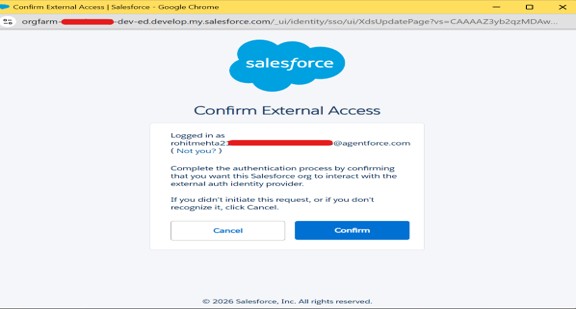
Step 4: Authorize Salesforce
  1. Click Authorize Salesforce DevOps Center
  2. Grant required permissions
This allows DevOps Center to:
  • Access repositories
  • Create branches
  • Commit changes

Picture5 2

Picture6 2

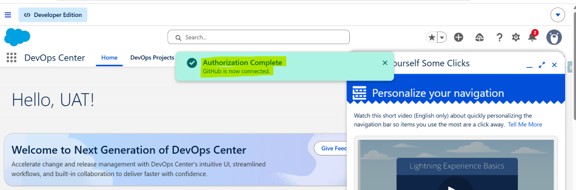
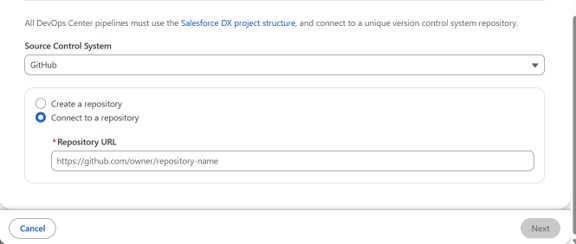
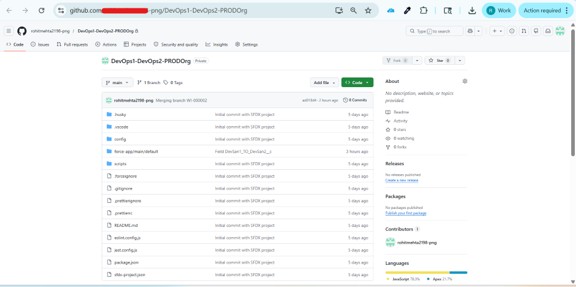
Step 5: Select or Create Repository
After authorization:
  1. Select an existing repository
OR
  1. Create a new repository

Choose default branch (usually main)
Picture7 2

Picture8 2
Picture9 2

Important Notes
  1. One project should use one repository
  2. DevOps Center manages branches automatically
  3. Avoid using same repo for multiple projects

Conclusion

Once GitHub is linked to DevOps Center, things get a whole lot smoother. You can see every change that was made, your team stays in sync, and moving code to production feels less like a risk and more like a routine.

Up next, we’ll set up pipelines and hook up your environments — so your work moves from dev to production one clean step at a time.

Also Read

Don’t forget to check out: Master Salesforce Flows

Written by

user

Rohit Mehta

A passionate Salesforce Developer and 3x Salesforce Certified professional specializing in building scalable CRM solutions. Proficient in Apex, Lightning Web Components (LWC), Triggers, Flows, and integrations, with a strong focus on delivering efficient, user-friendly applications. Experienced in translating business requirements into robust technical solutions while optimizing system performance. Skilled in end-to-end development, from design and implementation to deployment across Salesforce platforms.

Contributor of the month
contributor
Rohit Mehta

3x Certified Salesforce Developer || Apex || LWC

Get the latest tips, news, updates, advice, inspiration, and more….

...
Boost Your Brand's Visibility

Want to promote your products/services in front of more customers?

...