How to Configure Projects, GitHub Repositories, and Release Environments in Salesforce DevOps Center

June 15, 2026
58 Views
How to Configure Projects, GitHub Repositories, and Release Environments in Salesforce DevOps Center

In the previous blog, we successfully set up DevOps Center with all required configurations such as installation, permissions, and GitHub connectivity. Now it is time to move into the actual development workflow.

In this blog, we will cover:

  • DevOps project
  • Connect a GitHub repository
  • Release Environment

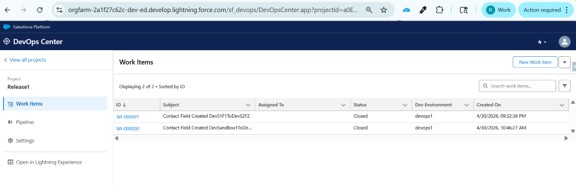
DevOps Center UI Overview

When you open DevOps Center, you will see four main components:
  • Projects: Manage your application lifecycle
  • Pipelines: Define how changes move across environments
  • Work Items: Track development tasks
  • Environments: Connected Salesforce orgs

Picture1 1

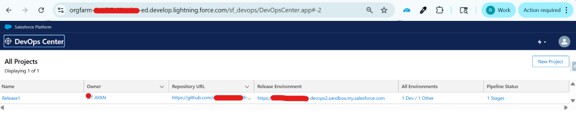
What is a Project in DevOps Center?

A Project represents your complete application lifecycle. It connects your Salesforce org with a GitHub repository and manages all development activities.

Why Projects are important:

  • Centralized development management
  • Integration with Git for version control
  • Better collaboration among team members
  • Tracks all changes efficiently

Picture2 1

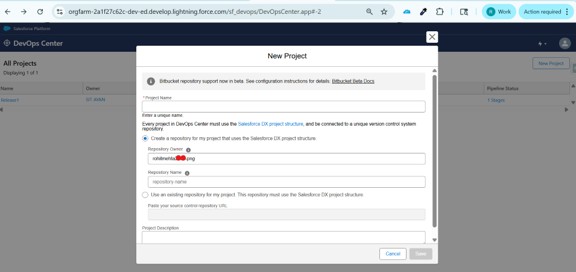
Step 1: Create a New Project

Go to DevOps Center → Projects → Click ‘New Project’. Enter the required details like Project Name and Description, then save.

Picture3 1

What is a GitHub Repository?

A GitHub Repository (Repo) is a storage location where your project’s code and metadata are saved and managed using version control.👉 Simple terms:

Repository = “A central place where your code is stored and tracked”
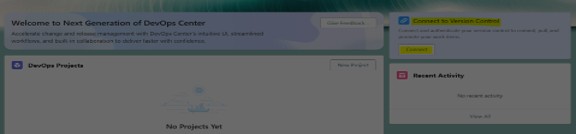
Picture4 1

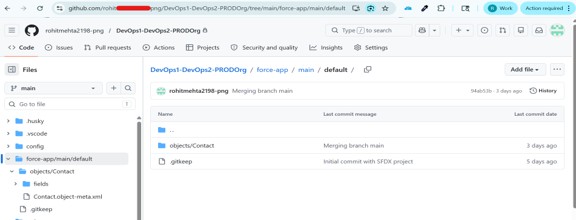
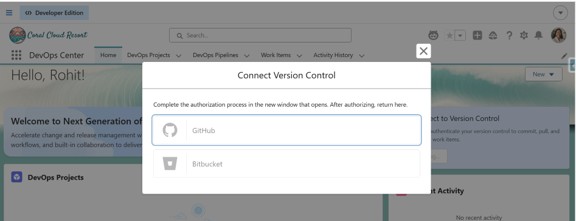
Step 2: Connect GitHub Repository

Authorize your GitHub account, then either select an existing repository or create a new one. Choose the default branch (usually ‘main’) and connect it.

Why GitHub is used:

Steps to Update Session Settings:
  1. Stores your code securely
  2. Tracks version history
  3. Enables collaboration
  4. Allows rollback if needed

Picture5 1
Picture6 1
Picture7 1

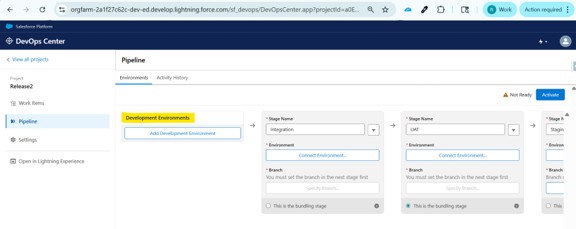
What is an Environment in DevOps Center?

An Environment in DevOps Center represents a Salesforce org where your changes are developed, tested, or deployed.

👉 Simple terms:

Environment = “A place where your code runs”

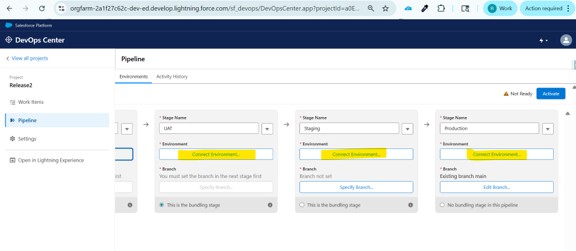
What is a Release Environment?

A Release Environment is the stage in your pipeline where changes are finalized and prepared for production deployment.

👉 Simple terms:

Release Environment = “Final checkpoint before Production”
Picture8 1
Picture9 1

Also Read

Don’t forget to check out: Master Salesforce Flows

Conclusion

And that’s pretty much as it is for this one, you have got your project set up and your GitHub repository connected, honestly, once you get past this part, things start to make a lot more sense.

To know about your project, repository, and environments, talk to each other that will save you from a lot of headaches down. It’s one of those things that feels a bit overwhelming at first but clicks pretty quickly once you start working with it.

The whole point of having version control and separate environments is simple, no surprises in production. Everything gets checked, tracked, and moved in an organized way. Your team stays in sync and deployments stop being stressful.

👉 Next up, we’ll look at connecting DevOps Center with GitHub, logging in, linking your repo, and making sure version control is properly set up for your project.

Written by

user

Rohit Mehta

A passionate Salesforce Developer and 3x Salesforce Certified professional specializing in building scalable CRM solutions. Proficient in Apex, Lightning Web Components (LWC), Triggers, Flows, and integrations, with a strong focus on delivering efficient, user-friendly applications. Experienced in translating business requirements into robust technical solutions while optimizing system performance. Skilled in end-to-end development, from design and implementation to deployment across Salesforce platforms.

Contributor of the month
contributor
Rohit Mehta

3x Certified Salesforce Developer || Apex || LWC

Get the latest tips, news, updates, advice, inspiration, and more….

...
Boost Your Brand's Visibility

Want to promote your products/services in front of more customers?

...