In the era of the growing digital world, securing user authentication is very critical. OTP (One-Time Password) verification adds an extra layer of security to the data by ensuring that only the rightful user can access or submit that data. By integrating Twilio OTP with Salesforce, you can validate the user identity via mobile numbers or via their email.
Summarize this blog post with:
What is Twilio OTP?
Twilio OTP is a security service that sends a one-time password to a user’s phone number or email. Then users just have to enter the OTP and they can verify their identity before moving to the next step.
What Challenges to face without OTP Verification?
If OTP (One-Time Password) verification isn’t in the check list then applications, especially those built on Salesforce Experience Cloud or other salesforce public sites, become more vulnerable, which indicates security threats and misuse.
While Salesforce already provides you the strong built-in security features such as Multi-Factor Authentication (MFA) for internal users, external-facing applications often require an additional layer of verification to ensure that the user accessing the system is genuine or not.
In addition to this OTP verification plays a crucial role in validating user identity during every action like login, registration, or sensitive transactions. Without it, the applications may face several critical challenges:
- Unauthorized access to user accounts
- Fake or invalid user registrations
- Increased fraud risk
- Weak authentication mechanisms
How Twilio OTP Helps in Solving the Challenges?
Twilio is a extreme reliable API to send OTPs via SMS or emails. When integrated with Salesforce, it ensures that users verify their identity before proceeding to build the security and trust.
Prevents Unauthorized Access
OTP adds an extra layer of authentication, ensuring that only users with access to the registered mobile number or email can log in.
Eliminates Fake Registrations
By verifying user contact details through OTP, the system ensures that only genuine users can create accounts.
Reduces Fraud Risk
Each OTP is unique and time-bound, making it extremely difficult for attackers to misuse or replicate.
Strengthens Authentication Mechanism
OTP-based verification enhances traditional username-password systems, making them more secure and reliable.
Protects Against Spam & Bots
Automated scripts and bots cannot easily bypass OTP verification, reducing spam submissions and system abuse.
Improves User Trust & Experience
Users feel more secure knowing that their accounts are protected with advanced verification methods.
Enables Real-Time Verification
With Twilio’s fast SMS and voice delivery, users can verify their identity instantly without delays.
Ensures Scalable & Reliable Communication
Twilio’s infrastructure supports high volumes of OTP requests, making it suitable for enterprise-level applications.
Also Read
Don’t forget to check out: Salesforce Open CTI Retirement: Moving Towards Next-Gen Contact Centers with Agentforce
Key Benefits of Twilio OTP in Salesforce?
Integrating Twilio OTP with Salesforce significantly enhances application security while providing a seamless user experience. Below are the key benefits:
- Secure user authentication
- Prevent fake registrations
- Improve user trust
- Easy API integration
- Real-time verification
Where to Use OTP in Salesforce?
OTP (One-Time Password) verification can be implemented in multiple areas within Salesforce to enhance security and ensure authentic user access. Below are the most common use cases:
- Login authentication
- Registration forms
- Password reset flows
- Sensitive data access
- Form Submission (Public Sites)
- Customer Portal / Experience Cloud
Salesforce to Twilio Integration: Step-by-Step Implementation
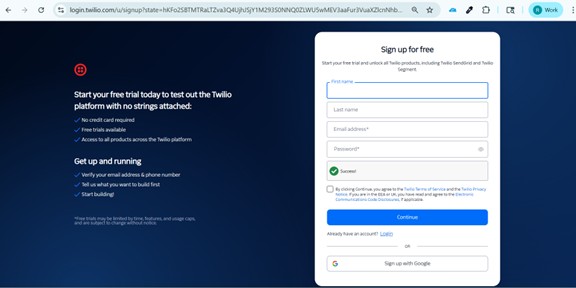
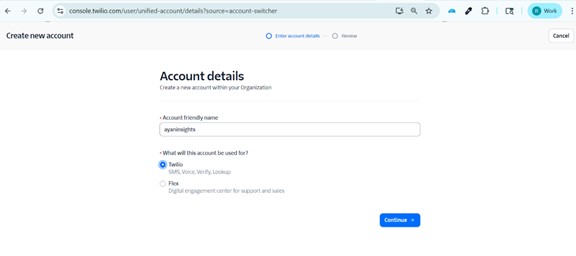
Step 1: Create Twilio Account
Follow these simple steps:
- Go to https://www.twilio.com/try-twilio
- Click on Sign Up
- Enter required details and create account
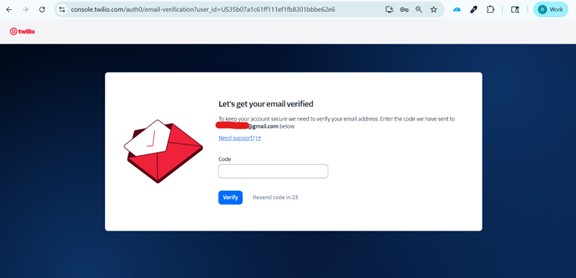
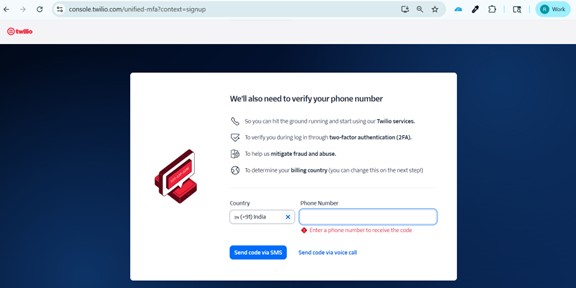
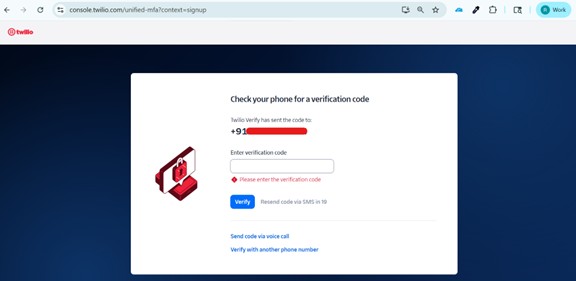
- Verify your email and mobile number
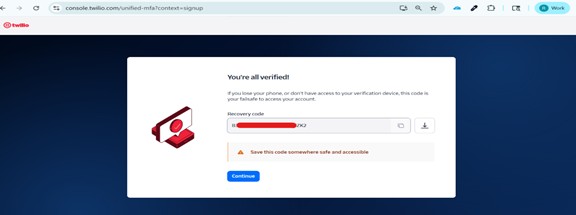
Recovery code: If you lose your phone, or don’t have access to your verification device, this code is your failsafe to access your account.
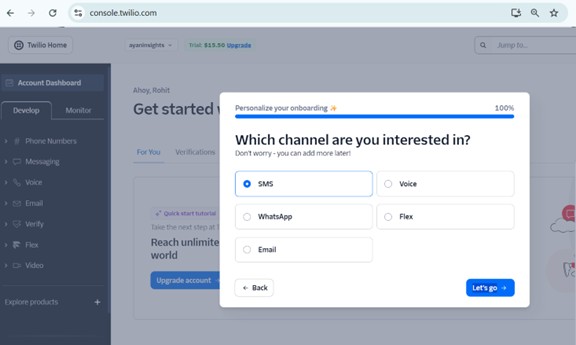
Step 2: Get Twilio Phone Number
- Login to Twilio Console
- Navigate to: Phone Numbers → Buy a Number
- Choose a number with SMS capability
- Purchase the number
Step 3: Enable Two-Factor Authentication (Verify API)
Step 1: Create Verify Service
- Go to: Develop → Verify → Services
- Click Create Service
- Enter Service Name (e.g., OTP Service)
- Save
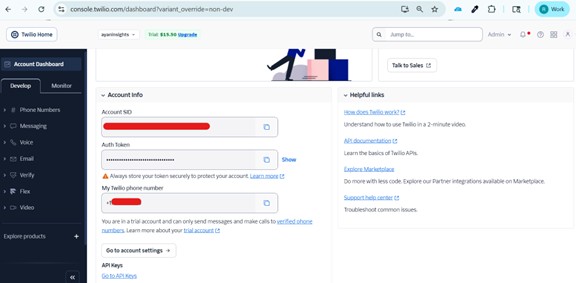
Step 2: Get Credentials
- Account SID
- Auth Token
- Service SID(Phone Number)
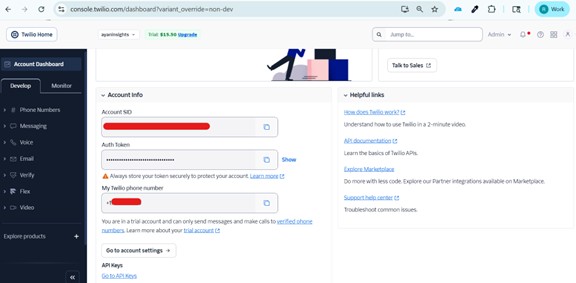
Trial Account Limitation:
- SMS/OTP only sent to verified numbers
- Trial message prefix added
- For production → Upgrade required
Add and verify phone number – (If OTP send to Trail Phone Number) – Trail Version
https://console.twilio.com/?frameUrl=/console/phone-numbers/verified
Step 4: Configure in Salesforce
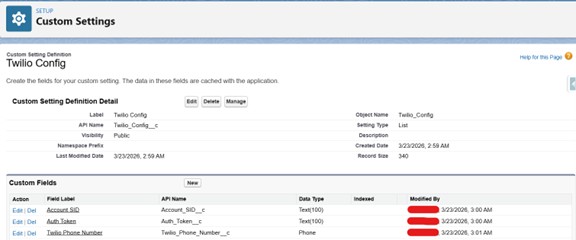
To securely store and use these keys in Salesforce, follow this approach:
- Create a Custom Setting:
- Object: Twilio_Config__c
- Fields:
- Account_SID__c
- Auth_Token__c
- Twilio_Phone_Number__c
This allows you to manage keys easily without hardcoding them in Apex or UI.
Step 5: Apex Code to Send OTP
Use HTTP callout to Twilio API to send OTP.
String accountSid = config.Account_SID__c;
    String authToken = config.Auth_Token__c;
    String fromNumber = config.Twilio_Phone_Number__c;
    HttpRequest req = new HttpRequest();
    String endpoint = 'https://api.twilio.com/2010-04-01/Accounts/'
        + accountSid + '/Messages.json';
    req.setEndpoint(endpoint);
    req.setMethod('POST');
    String auth = accountSid + ':' + authToken;
    String encodedAuth = EncodingUtil.base64Encode(Blob.valueOf(auth));
    req.setHeader('Authorization', 'Basic ' + encodedAuth);
    req.setHeader('Content-Type', 'application/x-www-form-urlencoded');
    String body = 'From=' + EncodingUtil.urlEncode(fromNumber, 'UTF-8') +
                  '&To=' + EncodingUtil.urlEncode(toPhone, 'UTF-8') +
                  '&Body=' + EncodingUtil.urlEncode(message, 'UTF-8');
    req.setBody(body);

    Http http = new Http();
        try{
        HttpResponse res = http.send(req);
        if(res.getStatusCode() == 201 || res.getStatusCode() == 200){
            showOTPField = true;
            successMessage = 'OTP sent successfully';
            return true;
        } else {
            System.debug('Twilio Error: ' + res.getBody());
        }
    }catch(Exception e){
        System.debug('SMS Error: ' + e.getMessage());
    }
This allows you to manage keys easily without hardcoding them in Apex or UI.
Twilio OTP Integration for Enhanced Security:
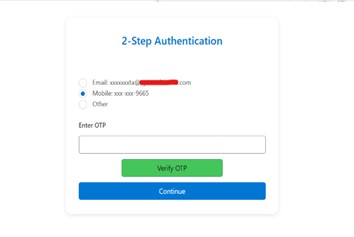
Twilio OTP integration enhances the security in Salesforce by ensuring only verified users can access or submit the data. It is a must-have feature for every application.

Conclusion
In conclusion, while Agentforce provides a robust foundation for autonomous AI interactions, moving beyond standard text-based responses is essential for delivering a modern, user-friendly experience. By implementing Custom Lightning Types (CLTs) and Lightning Web Components (LWCs), developers can transform agent outputs into visually rich, branded, and interactive interfaces.