Setting Up Pipelines and Connecting Environments in Salesforce DevOps Center

June 18, 2026
45 Views
Setting Up Pipelines and Connecting Environments in Salesforce DevOps Center

In the previous blog, we created a project and connected it with a GitHub repository.
Now it is time to move forward and understand how changes actually flow from the development to production using the pipelines and environments.

In this blog, we will cover:

  • What is a Pipeline
  • Create a Pipeline
  • Add Pipeline Stages
  • What are Environments
  • Development & Release Environments
  • Connect Environments to Pipeline

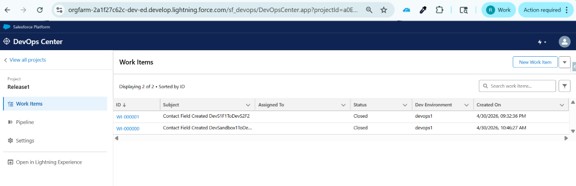
DevOps Center UI Overview

When you open DevOps Center, you will see four main components:

  • Projects: Manage your application lifecycle
  • Pipelines: Define how changes move across environments
  • Work Items: Track development tasks
  • Environments: Connected Salesforce orgs

Picture1 2

What is a Pipeline

A Pipeline defines how your code moves from development to production. It ensures a structured and controlled deployment process.

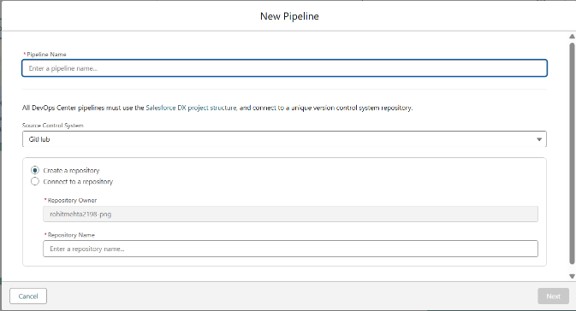
Create a Pipeline
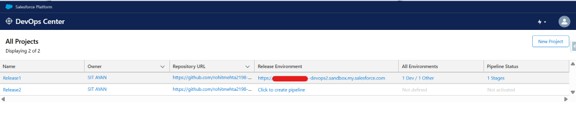
Go to Pipelines → Click ‘New Pipeline’ → Enter a name → Create.

Picture2 3
Picture3 3
Picture4 3

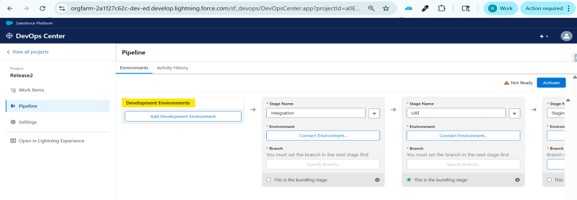
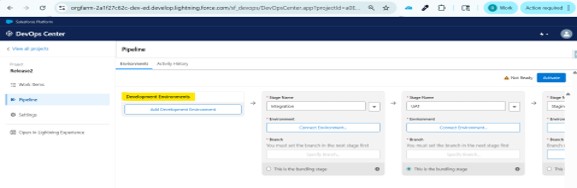
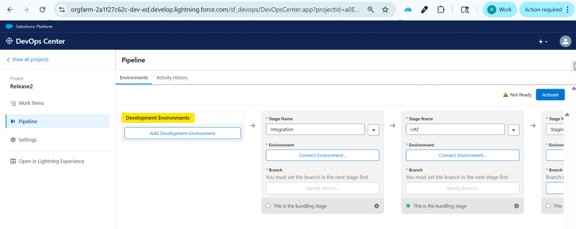
Add Pipeline Stages
Add stages such as:
  1. Development: Where developers make changes
  2. Testing (UAT): Where changes are validated
  3. Production: Live environment

Picture5 3

What is an Environment in DevOps Center

An Environment in DevOps Center represents a Salesforce org where your changes are developed, tested, or deployed.

👉 Simple terms:

Environment = “A place where your code runs”

What is a Development Environment?

A Development Environment is a Salesforce org where developers create and test their changes before moving them to other stages.

👉 Simple terms:

Development Environment = “Where actual coding and configuration happens”

Examples of Development Environments:
  • Developer Sandbox
  • Developer Pro Sandbox
  • Scratch Org (in advanced setups)
Important Notes
  • Use only Sandbox orgs for development
  • Do not use Production for development
  • Production is meant for final deployment only

Picture6 3

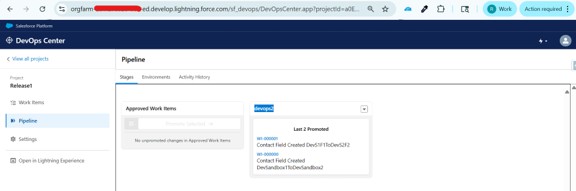
What is a Release Environment?

A Release Environment is the stage in your pipeline where changes are finalized and prepared for production deployment.

👉 Simple terms:

Release Environment = “Final checkpoint before Production”
Picture7 3
Picture8 3

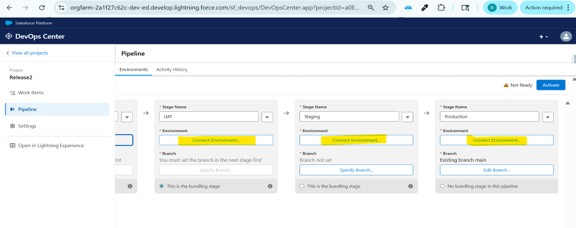
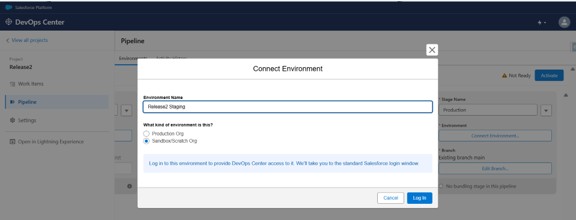
Connect Environments

Add your sandbox and production environments, then map them to pipeline stages. This ensures proper flow of deployment.

Picture9 3
Picture10 1

Conclusion

Whenever all of the pipelines and environments are arranged, you now have a clear understanding of how changes move from development to production in the DevOps Center. By defining stages and connecting them regarding right environments, you ensure that every change follows a structured and controlled deployment path.

This approach not only improves visibility across the development lifecycle but also reduces risks by ensuring proper testing and validation before reaching to any production. Pipelines bring consistency to deployments, while environments help separate development, testing, and live systems effectively.

In the next blog, we will explore Work Items and how DevOps Center tracks changes automatically, which plays a key role in managing and organizing development work.

Also Read

Don’t forget to check out: Master Salesforce Flows

Written by

user

Rohit Mehta

A passionate Salesforce Developer and 3x Salesforce Certified professional specializing in building scalable CRM solutions. Proficient in Apex, Lightning Web Components (LWC), Triggers, Flows, and integrations, with a strong focus on delivering efficient, user-friendly applications. Experienced in translating business requirements into robust technical solutions while optimizing system performance. Skilled in end-to-end development, from design and implementation to deployment across Salesforce platforms.

Contributor of the month
contributor
Rohit Mehta

3x Certified Salesforce Developer || Apex || LWC

Get the latest tips, news, updates, advice, inspiration, and more….

...
Boost Your Brand's Visibility

Want to promote your products/services in front of more customers?

...