Implementing Salesforce Service Cloud in 2027 the AI-Powered Way

October 12, 2026
6 Views
Implementing Salesforce Service Cloud in 2027 the AI-Powered Way
Summarize this blog post with:

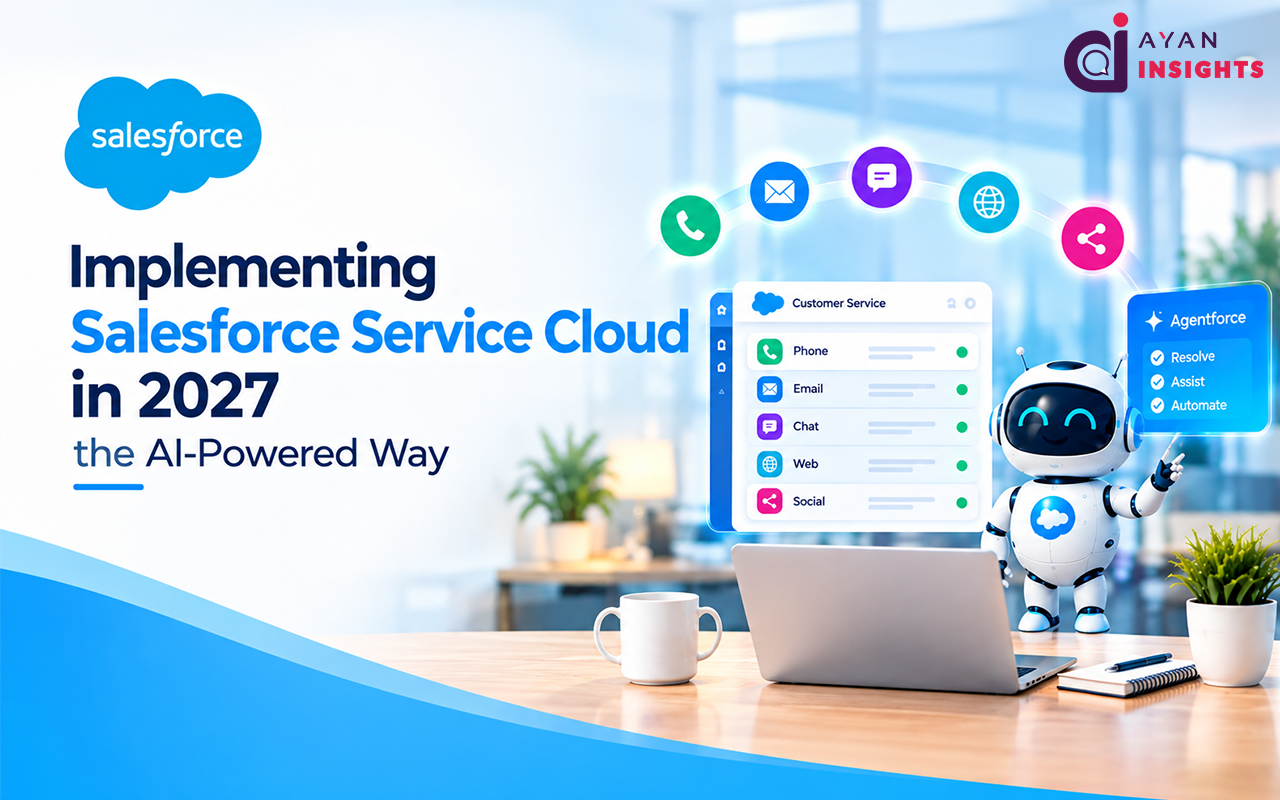
Salesforce Service Cloud involves configuring Salesforce’s customer service application for the use of every support channel (phone, email, chat, web, and social) from one single source of the truth while AI manages mundane tasks. That’s the AI layer that differentiates a modern service desk from a slow, fractured one in 2027.

Imagine the old-fashioned approach: A customer sends an email asking for assistance with a bill, receives no response, calls, and the agent doesn’t remember the customer sent an email about it, so she tells him again. It’s not a people’s issue; it’s a systems issue. A robust Service Cloud remedies that gap—and Agentforce now addresses entire categories of cases without agent involvement.

This guide examines the most important AI features, has a phased plan for Salesforce Service Cloud implementation, an honest look at costs, and how to do it correctly. Read on and you’ll know what it means to have a strong rollout in 2027.

What Is Salesforce Service Cloud?

Salesforce Service Cloud is the customer service component of Salesforce. All inbound requests, regardless of channel, are transformed into Cases and subsequently routed, resolved and reported through a single agent console. One person sees one report, and one person gets the same experience, regardless of the way they’ve accessed it.

The difference is in its habitat. Service Cloud is integrated with your sales, marketing and billing systems, and an agent has full context of an account without having to switch tabs. It’s that common core that makes the disparate Salesforce customer service into one unified operation.

Why Implementing Salesforce Service Cloud Matters in 2027

Prices are rising and customers’ expectations are changing. People now expect the resolution to be in the same channel and session as the one they reached out from. That’s not something that teams can do who are managing email, phone, and chat from disparate tools.

The larger shift is toward AI. What used to be “nice to have” a couple of years ago, such as automation, data-based answers, predictive insight, is now mandatory. Service Desk 2027 is a human-AI mix in which service desk agents move from ticket processing to solving the hard problems. The first step to getting there is the implementation of Service Cloud.

The AI Features Reshaping Salesforce Customer Service

Now, AI is no longer just an add-on to Salesforce; it’s integrated into its customer service infrastructure. These are the attributes which alter the math to match support capacity.

Agentforce Service and Autonomous AI Agents
Agentforce Service agents process multi-step resolution on their own: retrieval over connected systems, processing of defined case types of ends to end and escalation to humans when necessary. This allows agents to spend more time on high-value interactions rather than repetitive ones for high-volume teams.
AI-powered Case Deflection and Einstein Bots

Requests that can be anticipated for Tier-1 service such as passwords, order status and frequent FAQs are routed to the Einstein Bots, meaning they will not have contact with an agent at all. The deflection strategy together with self-service portals enables fast answers to be provided 24/7, reducing the number of people queuing.

Real-Time Insights and Omni-Channel Routing

As the call goes on, Einstein analyzes sentiment, churn-risk indicators and recommends next-best actions. Next, the Omni-channel routing connects the case with the right agent based on skills, availability, and load. Both technologies are meant to improve first-contact resolution.

A Step-by-Step Salesforce Service Cloud Implementation

A multi-phase implementation of the Service Cloud will make your process more secure and accurate. Below is the phased plan.

Phase 1: Discovery and Channel Mapping

Prior to configuration, it is critical to map all inbound channels – from how they create a case to how they route and resolve. SLAs should be documented per customer tier along with integrations. Almost all teams that skip this phase recreate them later.

Phase 2: Configure Case Management and Routing

Create the Case Object according to your taxonomy (fields, record types, page layout). Implement Omni-Channel routing, queues and agent capacity. This architectural solution will determine whether your cases will be assigned to the right agent or not at all.

Phase 3: Integration of the Channel and System

Integrate telephony (Service Cloud Voice / Open CTI), Email to Case, chat and messaging to make sure that all conversations will be assigned to the right case record. Integrate your ERP system and bill into the console so that your agents can work with cases in Salesforce.

Phase 4: Bots, AI, and Agentforce Configuration

Create Einstein Bots according to the frequently asked questions and set up the Agentforce Service when autonomous resolution of the case is required. Set up the resolution logic and fallback and measure your deflection rate in the sandbox before deployment.

Phase 5: Training, pilot and go live

Launch your project either with one team or a certain kind of case and monitor first contact resolution, handle time, and CSAT to check whether you configured your cases in the right way. Launch channels one-by-one and provide several weeks of hyper care support.

When to Use Salesforce Service Cloud Consulting Services

All rollouts do not require external assistance, but in most cases, mid-range or enterprise rollouts should consider it. There are times when a Salesforce Service Cloud implementation consultant is appropriate.

When you need external help:
  • You use more than one channel and have integrated telephony or messaging.
  • Agentforce and Einstein Bots need to be configured with true case logic.
  • SLAs, entitlements, and routing rules are highly complex.
  • The previous implementation of Service Cloud has not gone as planned.
  • Internal capabilities are not enough for implementation and testing.

The consultant comes with a contact center approach and post-implementation assistance that internal teams usually don’t have time for.

Build a Service Desk Your Customers Actually Feel

Adopting Salesforce Service Cloud in the AI-driven manner unifies disjointed operations: Bots and Agentforce do their job, and agents take care of the essentials. The technology is ready; results depend on implementation.

It does not matter whether you have the largest budget on earth. All that matters is whether you’re willing to invest sufficient time in planning the channels, designing the cases, and managing the transitions as a business project rather than an IT project. That will guarantee success through AI.

To make it happen, you need a comprehensive roadmap, pilot before scaling, and to find a partner with experience in the contact center industry and post-launch strategies. And then, by 2027, your Service Cloud will become all that it was meant to be: more efficient, satisfied customers, and agents with enough capacity to think.

FAQ

AI performs all routine tasks allowing agents to handle difficult cases. Einstein Bots deflect tier-1 inquiries; Agentforce Service handles cases on its own, and Einstein suggests sentiments and best actions to boost resolution rate.

For smaller teams, implementation costs vary between $8,000 and $25,000, for medium-size teams – between $25,000 and $80,000, and enterprises – starting from $150,000. In addition, licensing costs vary and are between $75 and $330 per user-month depending on the edition and scope of implementation.

The easiest implementation takes 6-12 weeks. More complex multi-channel implementation with telephony, bots, and Agentforce may take 3-6 months for medium-size teams, and even longer for enterprises.

Basic implementations can be done by in-house administrators. Consulting services are recommended for multi-channel routing, AI configuration, and complicated SLAs implementation in order not to make mistakes in design, which will negatively affect agent and customer experience.

Also Read

How useful was this post?

Click on a star to rate it!

Average rating 0 / 5. Vote count: 0

No votes so far! Be the first to rate this post.

Written by

Gopinath G

Passionate about the intersection of cutting-edge technologies and their applications in Industry 4.0. I delve into topics like Artificial Intelligence, Machine Learning, Big Data, and the Internet of Things, exploring their transformative potential in modern industries. Eager to engage in discussions, share insights, and learn from others on these exciting frontiers.

Get the latest tips, news, updates, advice, inspiration, and more….

Contributor of the month
contributor
Priya

Salesforce Technical Architect - Lightning (Aura & LWC) Specialist

...
Categories
...
Boost Your Brand's Visibility

Want to promote your products/services in front of more customers?

...

Leave a Reply

Your email address will not be published. Required fields are marked *