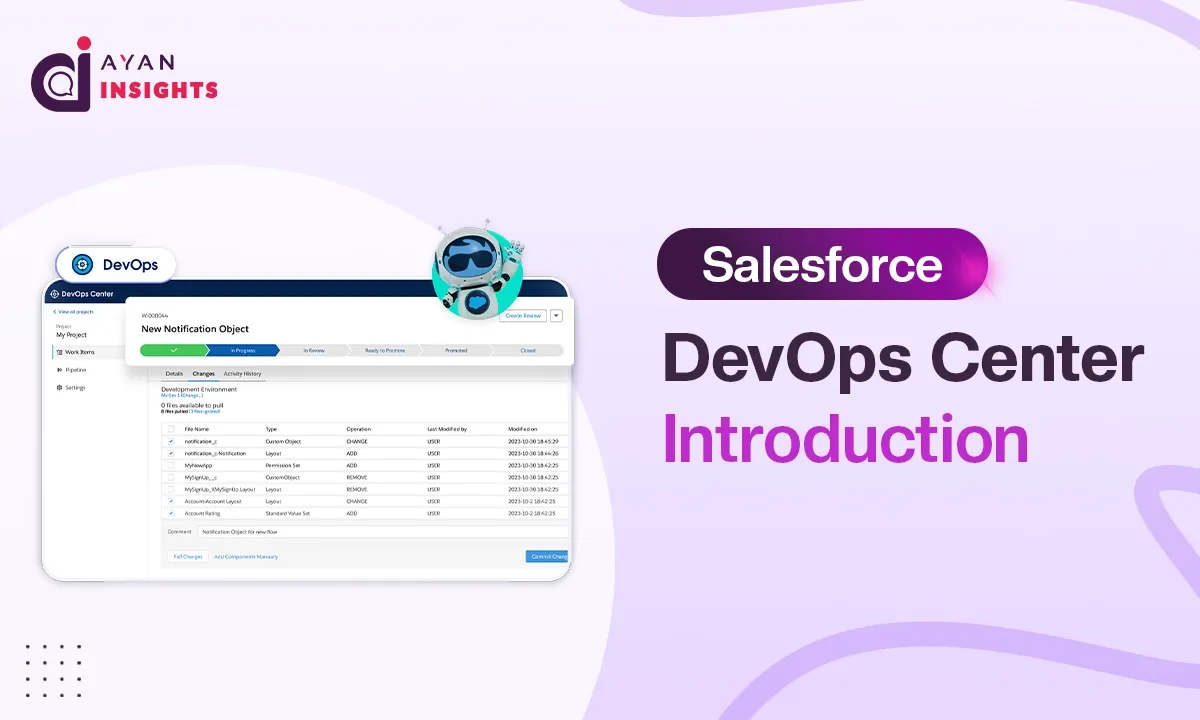
Salesforce development teams today operate under considerable complexity: multiple developers working concurrently, frequent release cycles, and environments that must remain continuously synchronized. Managing this without a structured system quickly leads to inconsistency and risk, which is precisely the challenge Salesforce DevOps Center was designed to address.
Salesforce DevOps Center is a native, Git-based release management tool that provides teams with a structured framework for managing changes, tracking deployments, and coordinating collaborative development without compromising release stability.
Prior to the introduction of Salesforce DevOps Center, most teams relied on Change Sets for deployment management. While functional for smaller-scale efforts, Change Sets were not architected to support the scale, traceability, or collaborative demands of modern Salesforce development.
Limitations of Change Sets in Modern Development
Change Sets are a native Salesforce feature used to move metadata from one org to another.
Advantages:
- Simple UI-based deployment
- No coding knowledge required
- Suitable for small changes
Limitations:
- No version control
- No visibility into change history
- No rollback capability
- Manual dependency handling
- Weak collaboration support
What is Salesforce DevOps Center?
Salesforce DevOps Center is a native release management tool that connects Salesforce directly to Git, giving teams a proper, auditable record of every change made across environments. Each deployment follows a defined pipeline: nothing gets skipped, and the entire process becomes significantly more predictable.
It does not require deep Git expertise either. The interface is built directly within Salesforce, allowing teams to adopt it without a steep learning curve or dependency on external tooling.
Salesforce DevOps Center is also included at no additional cost, making it a realistic option for teams looking to improve their processes without added licensing expense.
With Salesforce DevOps Center, teams get:
- Automatic change tracking without manual effort
- The ability to work on separate branches and merge safely
- A structured pipeline that changes must pass through before reaching production
- Earlier visibility into problems before they cause damage
Advantages of Salesforce DevOps Center
1. Version Control with Git
- Complete history of every change
- Easy to compare versions
- Reverting to a previous state is possible
2. Complete Change Tracking
- Clear record of who changed what and when
- Context behind changes is always available
3. Structured Deployment Pipeline
Development → Testing → Staging → Production
4. Automation and Efficiency
- Manual effort across the release process is reduced
- Fewer mistakes make it through to production
5. Better Team Collaboration
- Multiple developers can work in parallel
- Merging is safer and less error prone
6. Rollback and Recovery
- Bad releases can actually be reversed now
7. Industry Standard Approach
- Follows Git based workflows used across the software industry
- Prepares teams for CI/CD adoption down the line
Salesforce DevOps Center vs Change Sets
| Feature | Change Sets | Salesforce DevOps Center |
|---|---|---|
| Version Control | ❌ No | ✅ Yes |
| Change Tracking | ❌ No | ✅ Yes |
| Rollback | ❌ No | ✅ Yes |
| Automation | ❌ No | ✅ Yes |
| Team Collaboration | ❌ Limited | ✅ Strong |
| Deployment | Manual | Pipeline-based |
Also Read
Don’t forget to check out: Master Salesforce Flows
Conclusion
Change Sets still have their place for small or straightforward deployments. But when projects grow and release cycles become more frequent, their limitations become hard to ignore. Things get missed, deployments feel unpredictable, and teams lose track of what is actually happening across environments.
DevOps Center brings order to that. Teams get proper visibility, releases follow a process, and there is an actual record of everything that has been done. The initial setup takes some effort but the day to day difference is noticeable once everything is running.
For teams that have started feeling the strain of managing everything through Change Sets, DevOps Center is a genuinely practical step forward.
The next blog covers the full setup, installation, setting up permissions, connecting required tools, and everything needed to get DevOps Center ready to use.