Latest Update : 

How to Use Agentforce Vibes IDE For Web-Based Vibe Coding?

February 05, 2026
336 Views
How to Use Agentforce Vibes IDE For Web-Based Vibe Coding?
Summarize this blog post with:

Introduction

Agentforce Vibes IDE brings vibe coding to life—a new-generation LLM feature that lets you generate any type of code using natural language prompts. Instead of spending hours on repetitive boilerplate, developers can now focus on solving real business problems and designing smarter, more efficient solutions.
Salesforce is bringing this innovation to life with the Agentforce Vibes extension. For developers,
the desktop experience is already a game-changer. But what about Admins and Solution
Consultants who don’t live inside a local IDE all day?

That’s where Agentforce Vibe IDE steps in.

This web-based development environment delivers the full power and flexibility of Visual Studio
Code, Salesforce Extensions, and the Salesforce CLI directly inside your Salesforce org. No
installations. No complex setup. Just open your browser and start building.

With natural language prompts, Agentforce helps you write, test, refactor, and debug code faster
than ever. And with the built-in Org Browser, you can easily explore and retrieve metadata and
components from your org in just a few clicks.

This article will cover the way to build code on Salesforce, where you focus on the logic, and the
Tools handle the heavy lifting.
Agentforce Vibes IDE 1

Differences

Agentforce Vibe IDE Desktop Extension
Agentforce Vibes IDE is available from the Setup menu in your Salesforce org, and it comes with everything you need—VS Code, Salesforce extensions, and Salesforce CLI. No installation is required on your local machine. Need to install the VS Code desktop app and required extensions, including Salesforce CLI.
Agentforce Vibes IDE is org-aware. When opened from the Setup menu, the metadata for your org is automatically loaded into the SFDX project with automatic authentication. VS Code desktop app retains the last selected org. Metadata needs to be loaded manually on demand.
Agentforce Vibes IDE can’t access the Microsoft Marketplace. You can add extensions available in
Open VSX.
VS Code for desktop allows access to the Microsoft Marketplace.
All Salesforce extensions are kept up to date automatically in Agentforce Vibes IDE. No user action is required. Need to maintain/ update extension as
applicable.

Supported Editions

Agentforce Vibes IDE is available in sandboxes in Lightning Experience for the following
Salesforce editions:

  • Enterprise Edition
  • Professional Edition (with API Access add-on)
  • Unlimited Edition
Reference: Click here for additional details on supported editions.

Getting Started

After your org admin accepts the Terms and Conditions, Agentforce Vibes IDE becomes available to users in Salesforce sandbox orgs with the “View All Data” permission. The same unified Terms and Conditions also apply to DevOps Centre, DX Inspector, and Scale Centre.

  • Log in to the sandbox
  • Click on the gear icon
  • Select Agentforce Vibes to launch IDE
Agentforce Vibes IDE 2

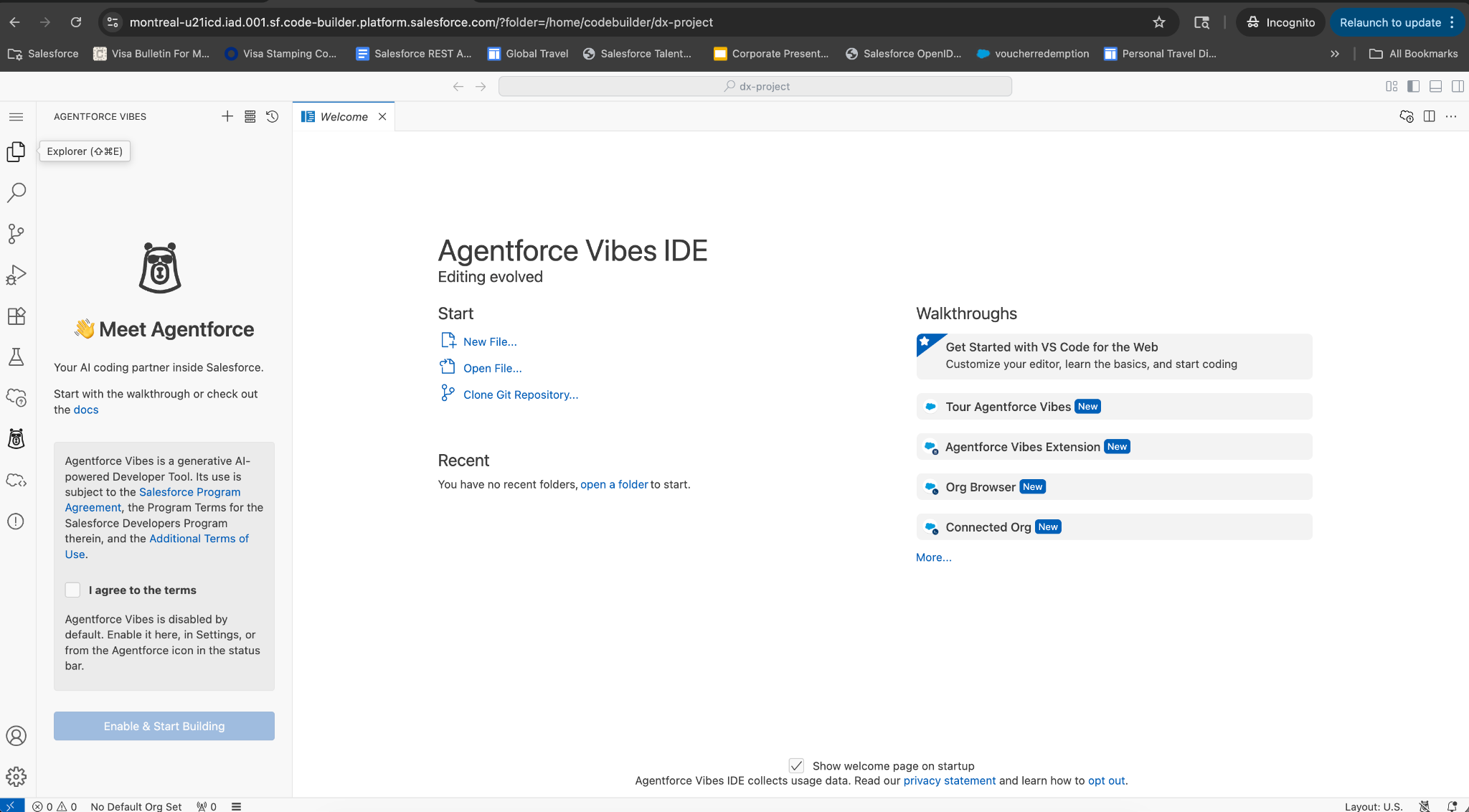
Once Agentforce Vibe IDE is launched successfully, select the check box to agree to the terms and conditions and then click on ‘Enable & Start Building’. All standard VS Code features, including required extensions for Salesforce code development and Agentforce, are available on this IDE now.

Users can use any standard SFDX commands to create new projects, create Apex/LWC code or dev ops-related commands, e.g. deploy/ retrieve code. Note: If you get an error related to ‘Error refreshing access token’ or ‘port 1717’, then open the sandbox in an incognito window.

Agentforce Vibes IDE 3

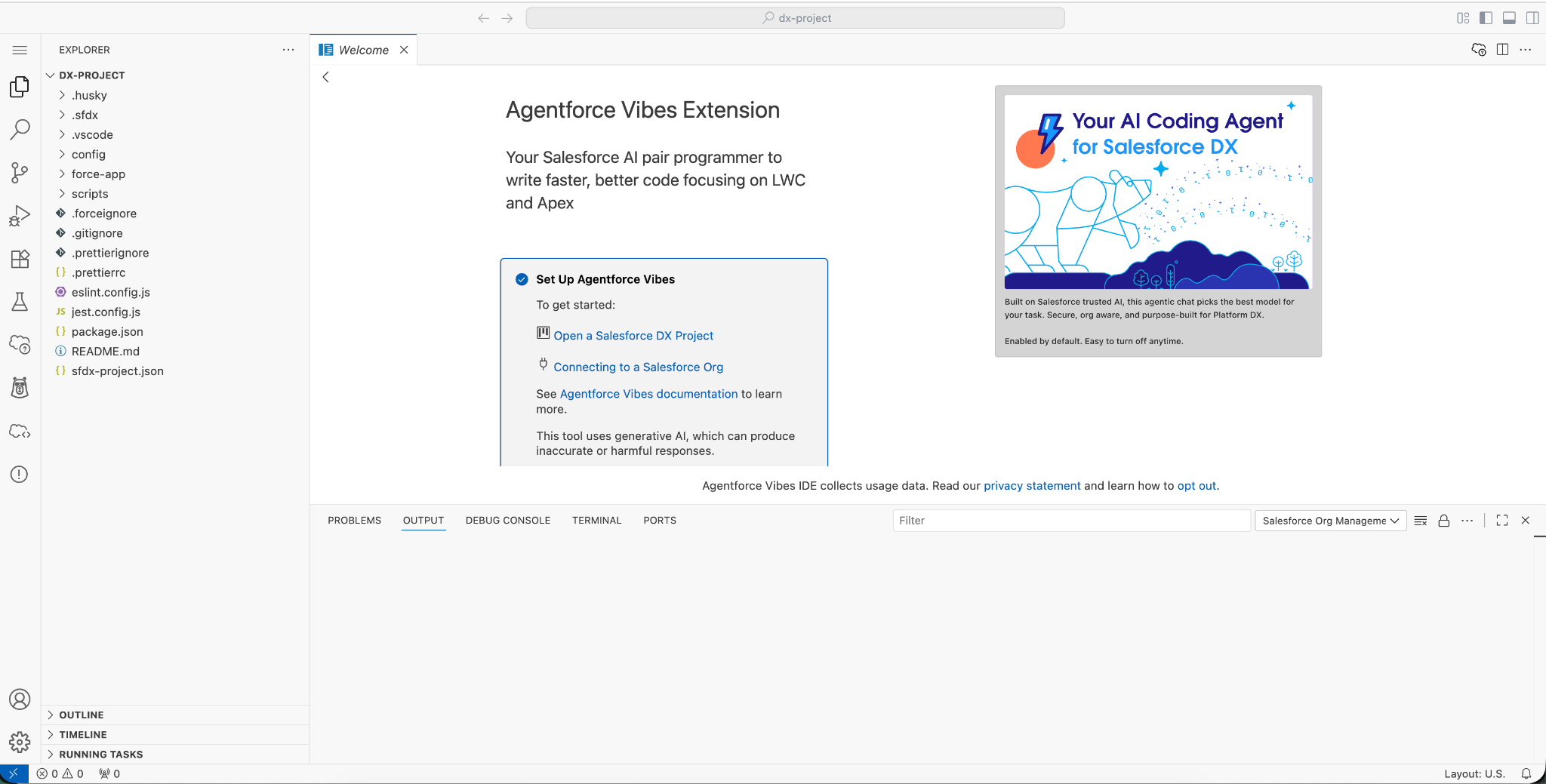
Connect to Org

  • Click on the Connecting to Salesforce Org option
  • Select the Authorise an Org option
  • Provide a sandbox name, e.g. testVibeCode, and then click on next.
  • Enter the appropriate username and password, authorise the org. Also, allow Salesforce CLI
    to connect to your org.
  • Now your Agentforce Vibe IDE and Agentforce Vibe extension are ready to use.
Agentforce Vibes IDE 4

Generate Code using Agentforce Vibe IDE.

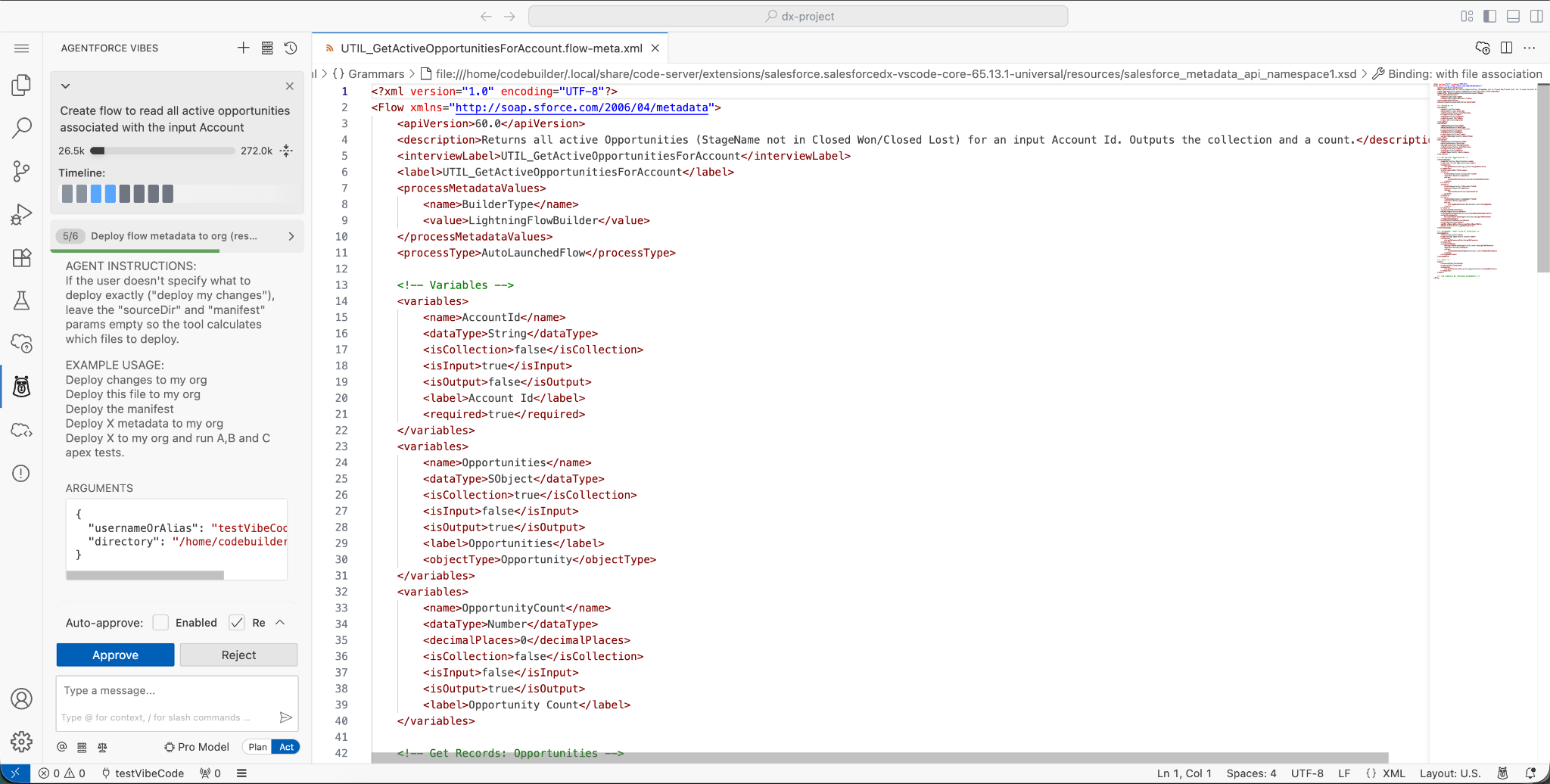
Suppose a user wants to build a flow that retrieves all Opportunities related to an Account. They
can simply enter a natural language prompt describing the requirement and press Enter. Agentforce Vibe will generate the required flow code and, if needed, ask follow-up questions for
clarification.

Sample prompt:
“Create a flow to retrieve all active Opportunities associated with the provided Account.”

Agentforce Vibe will generate the flow code and display it directly in the editor. If Auto-Approve
is enabled, the user will then be prompted to save the changes. Agentforce may do multiple
iterations of code generation and finally show the ‘Approve’ prompt.

Agentforce Vibes IDE 5

Once a task is completed, it will list the steps followed to complete the task.

Agentforce Vibes IDE 6

Conclusion

Agentforce Vibes IDE lets admins and developers build in the cloud with no software installation
required. Work from anywhere, save your environment for a quick return, and pick up where you left off from any machine via the same link.
References:

How useful was this post?

Click on a star to rate it!

Average rating 0 / 5. Vote count: 0

No votes so far! Be the first to rate this post.

Written by

Pradnya Desai

15x certified Salesforce Senior Technical Architect specializing In analysis, design, development of cross cloud solutions using Salesforce Platform – Sales Cloud, Service Cloud, Experience Cloud. Agentforce evangelist. Experience In Einstein bots, digital engagement, Amazon Connect, omni Channel, omni Studio, Financial Service Cloud. Expert in implementation of REST services, middleware applications. 22+ years of experience in application development and 9+ years of experience in the Salesforce ecosystem.

Get the latest tips, news, updates, advice, inspiration, and more….

Contributor of the month
contributor
Garima Chaturvedi

Marketing lead | CDP lead | SFMC | Martech | Automation | Cert. SF Data cloud consultant

...
Categories
...
Boost Your Brand's Visibility

Want to promote your products/services in front of more customers?

...

Leave a Reply

Your email address will not be published. Required fields are marked *