In modern Salesforce applications, especially Experience Cloud portals, Salesforce sites, ensuring secure access is critical. IP-based geo validation helps identify the user’s location and restrict access to authorized regions only.
Summarize this blog post with:
Why IP-Based Validation is Important
Without IP validation, systems may allow unauthorized access from restricted countries, increasing fraud risk and reducing visibility of user access patterns.
Architecture Overview
User → Salesforce Site → Capture IP → ipapi API Call → Validate Country → Allow / Block Access
Challenges Without ipapi
Without implementing IP-based geo validation using ipapi, Salesforce applications, especially public-facing portals like Experience Cloud, Salesforce Sites, can face several security and operational challenges:
- Unauthorized access from restricted regions
- Increased fraud and malicious activities
- No visibility of user location
- Weak access control mechanisms
- Higher risk in public portals (Experience Cloud, Salesforce Sites)
- No dynamic country restriction
- Compliance and data security risks
How ipapi Solves These Challenges
Applying an IP-based geo validation with ipapi adds a layer of Salesforce security by adding location aware access permissions. This allows the system to see where the user accessed from and make access decisions in real-time to permit or deny. This will not only reduce unauthorized usage but also improve monitoring, auditing and overall confidence in the application.
- Provides real-time user location detection
- Blocks unauthorized countries automatically
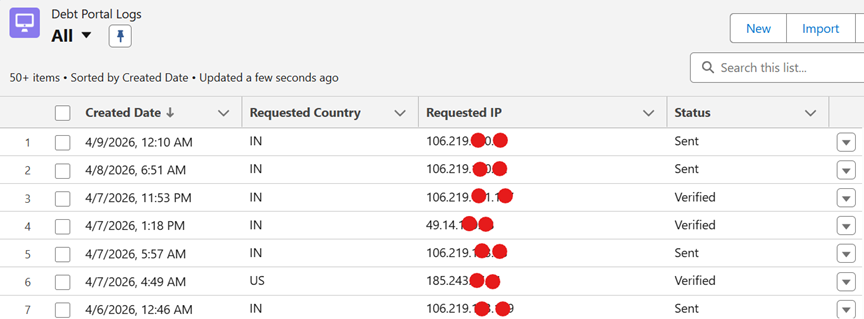
- Tracks user country and city for auditing
- Adds an extra layer of security
- Allows dynamic configuration using custom metadata
What is ipapi?
ipapi is a RESTful API service which returns the details of given IP address such as country, city and location information. It enables real-time identification of user location.
How It Works in Salesforce
The IP-based geo validation in Salesforce is intended to smoothly detect the user location and apply access restriction at the same time. With the help of ipapi in Apex callout it checks every request coming to the system and allow only users from specific countries to go further.
Step 1: Capture User IP Address using request headers like True-Client-IP or X-Salesforce- SIP
Step 2: Call ipapi API using HTTP GET request:
https://ipapi.co/{IP}/json/
Step 3: Parse API response to extract country and city.
Step 4: Validate country against allowed configuration stored in Salesforce.
Step 5: Block users if country is not allowed.
Salesforce Configuration
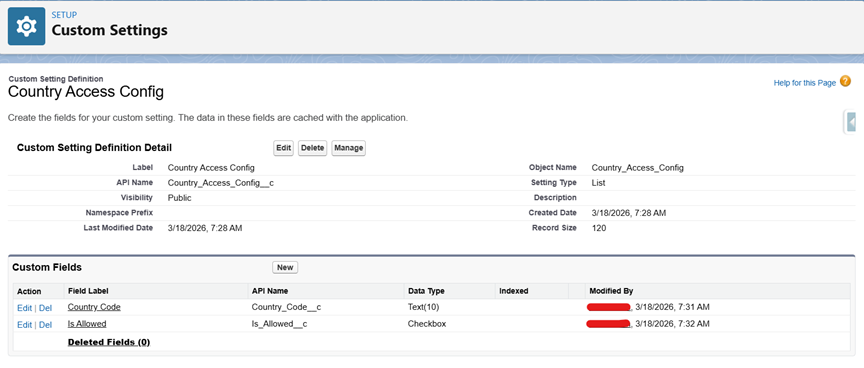
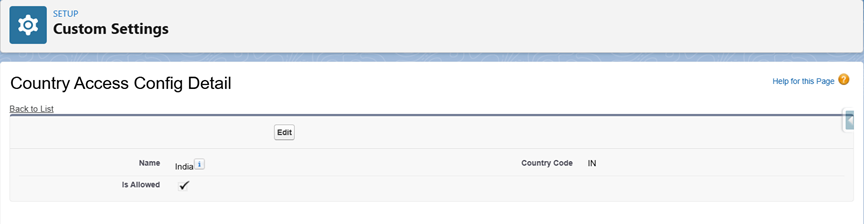
A custom setting is maintained in Salesforce to facilitate serving dynamic country based access control. It enables admins to quickly manage which countries are blocked and allowed without having to change any code.
Custom Object: Country_Access_Config__c
Fields:
– Country_Code__c
– Is_Allowed__c
Salesforce Implementation
Step 1: Capture IP Address
ip = ApexPages.currentPage().getHeaders().get('True-Client-IP');
if(ip == null){
ip = ApexPages.currentPage().getHeaders().get('X-Salesforce-SIP');
}
Step 2: Call ipapi API
req.setEndpoint('https://ipapi.co/' + ip + '/json/');
req.setMethod('GET');
Step 3: Parse Response
userCountry = (String) result.get('country');
userCity = (String) result.get('city');
Step 4: Validate Country
if(config.Country_Code__c == userCountry && config.Is_Allowed__c){
return true;
}
Step 5: Block Unauthorized Access
if(!isCountryAllowed){
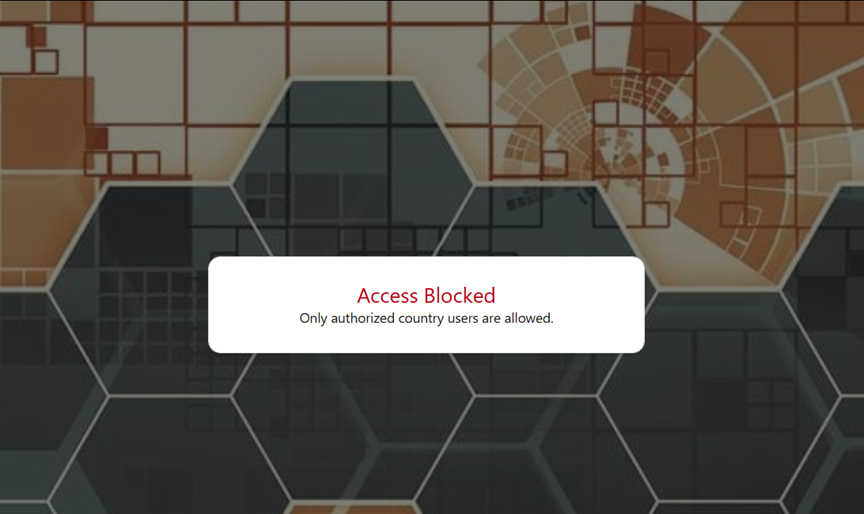
errorMessage = 'Only authorized country users are allowed.';
}
Also Read
Don’t forget to check out: How Custom CAPTCHA Enhances Security in Salesforce Environments
Key Features
The ipapi integration in Salesforce provides several powerful features that enhance both security and user monitoring capabilities. These features together make the solution flexible, scalable, and highly secure for real- world Salesforce applications.
- Real-time IP detection
- Country & city tracking
- Configurable access
Security Benefits
Sending IP Based Geo Validation to ipapi The security for the Salesforce application is greatly enhanced when using ipapi for the IP based geo validation since it adds a smart, location-aware layer of protection.
- Prevents unauthorized access
- Enables geo-restriction
- Improves audit tracking
- Adds extra security layer
- Reduces fraud risk
Use Cases
These are the use cases that illustrate how ipapi integration can be utilized to develop secure, scalable and region aware applications for salesforce.
Experience Cloud Portals / Salesforce Sites
The public portals is very susceptible to unauthorized access. In our case geo-validation provides a way to allow only users from allowed regions to use the system and lower spam and malicious activity.
Financial Applications
In such where is sensitive financial information involved, leading region-based access control contributes to financial fraud prevention and regional compliance.
Fraud Prevention Systems
With the detection and denial of access to high risk or unknown geolocations organizations can also proactively reduce fraud transactions and suspicious behaviors.
Restricted Access Systems
If you run a business that services a particular area, you can restrict system access by country so that only users from those countries can access your services.
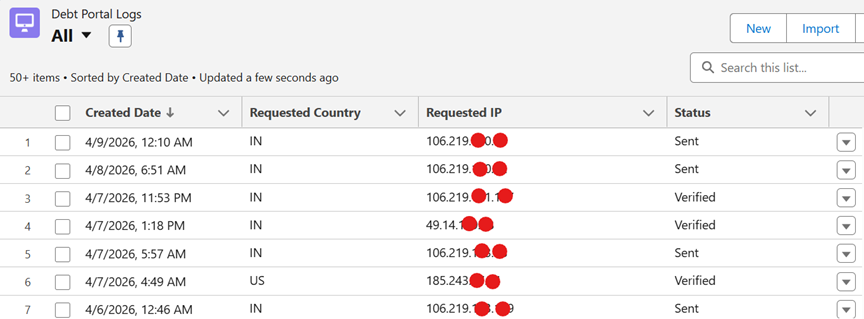
If User Country Not Verified and Allowed – Access Blocked
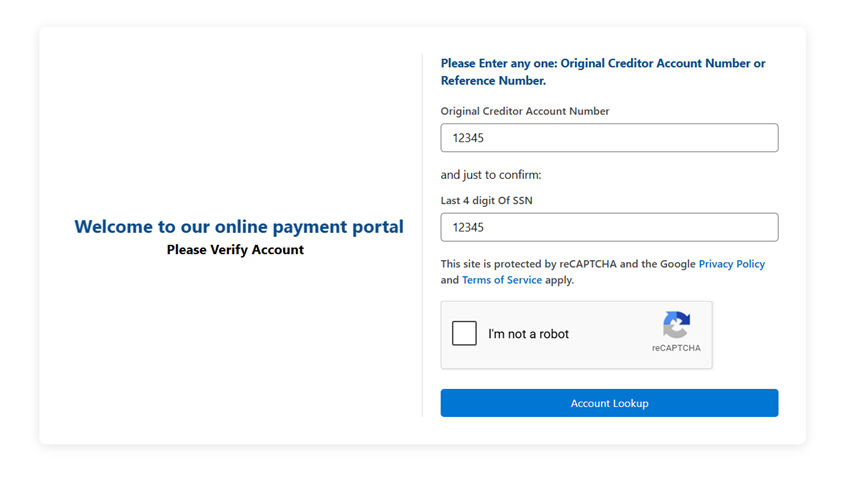
If User Country Verified and Allowed – Directly Accessed
Conclusion
IP validation with ipapi improves Salesforce security by letting you restrict system access to only authorized users.
These organizations can also deny access from certain countries based on the user’s travel location and real-time detection of the user location, preventing threats from even reaching their networks.
In addition, the configuration-based approach enables administrators to manage the access policies without modifying any code, which results in a flexible, scalable, and low-maintenance solution.