What is Agentforce Voice?
Imagine providing your customers with an intelligent, real-time voice experience across phone, web, and mobile channels. With Agentforce Voice, service agents can seamlessly comprehend natural speech, deduce intent, and autonomously resolve inquiries with speed and precision.
By deeply integrating with Service Cloud Voice and leading telephony platforms like Amazon Connect and Genesys, Agentforce Voice elevates traditional call centers into modern,
AI-powered conversational hubs. From call recording for quality assurance to context-aware agent escalations, it empowers businesses to deliver frictionless voice interactions at scale.
Setting Up the Prerequisites
Creating Your Voice Agent
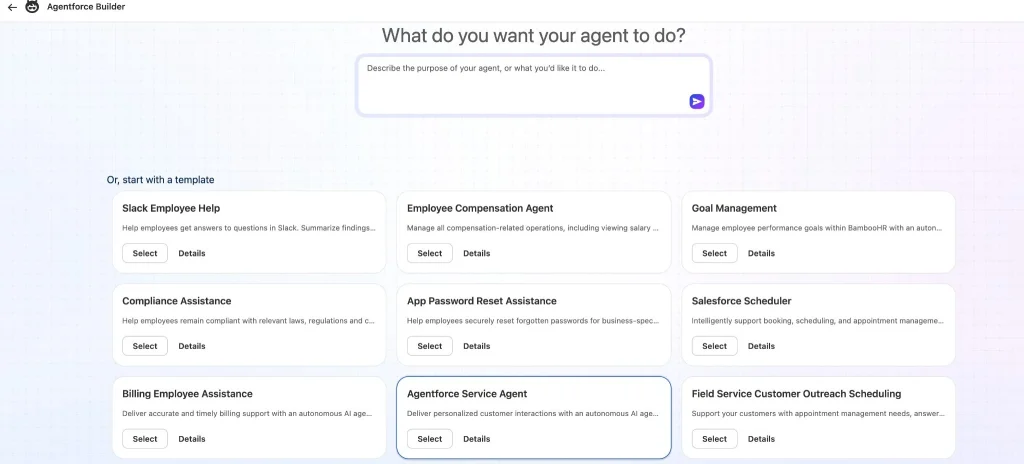
- Agent Template: Start by creating a Service Agent from the official Agentforce Service Agent template. Be sure to choose a supported language for voice operations.
- Existing Telephony Customers: Confirm that your Voice with Telephony Providers contact center is fully configured.
- New Setup: If you are not using Telephony Providers yet, turn on Voice with Telephony Providers and set up a fallback queue for seamless human transfer.
Assign Administrative & User Permissions
Ensure team members have the appropriate permission sets assigned depending on their roles:
- Agentforce Contact Center Admin (Salesforce Voice)
- Agentforce Contact Center Rep (Salesforce Voice)
- Agentforce Contact Center Supervisor (Salesforce Voice)
Procure a Dedicated Phone Number
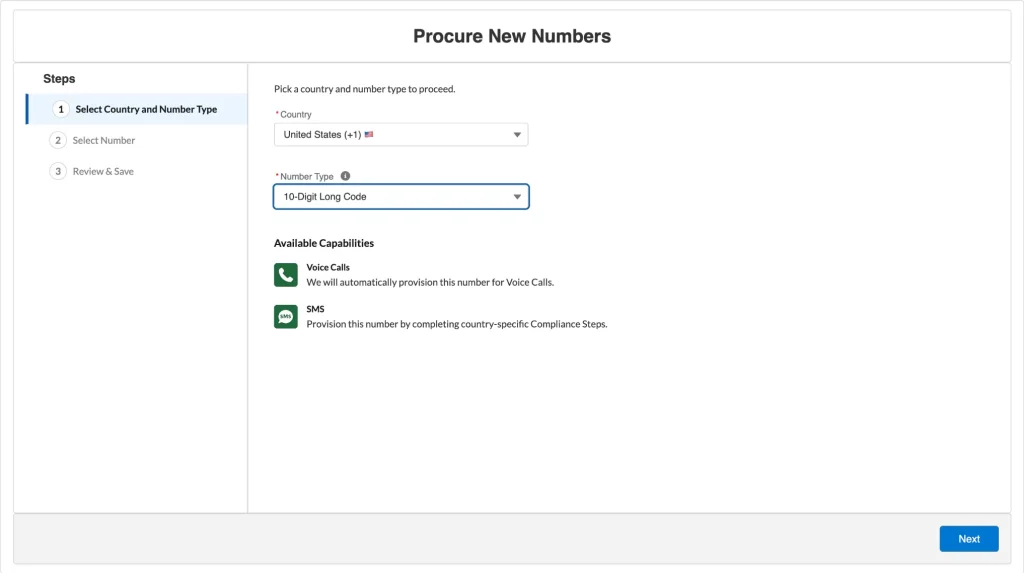
Navigate to Setup → Communication Channels and select New Number. Follow these steps to acquire a long code line:
- Select United States as the country (this guide covers US numbers only; check availability for other regions).
- Set the number type to 10-digit Long Code.
- Choose an available number and complete the wizard. The number is ready to use only when its status changes to Live, which can take some time.
- Note: You need to have Telephony feature enabled in your For this tutorial we are using Salesforce Voice.
Set Up Routing Configuration
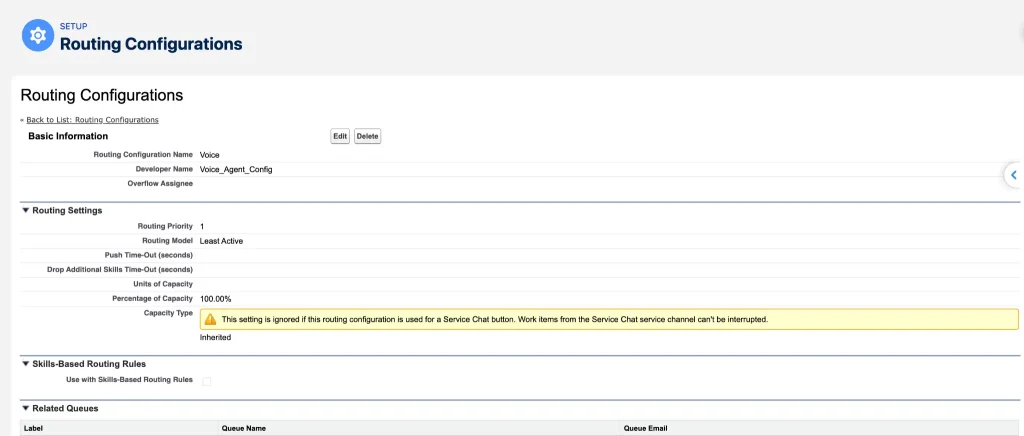
Head over to Setup → Omni-Channel → Routing Configurations. Define a Voice routing model (e.g., Least Active or Most Available).
Set Up Queues
Next, create a queue that supports the Voice channel and points to Voice routing configuration. Make sure the queue is assigned to your human support teams.

Create an Escalation flow
Finally, launch Flow Builder to craft an escalation flow. This guarantees that inbound calls gracefully transfer to human representatives whenever an agent escalates.
Connecting & Routing Your Voice Agent
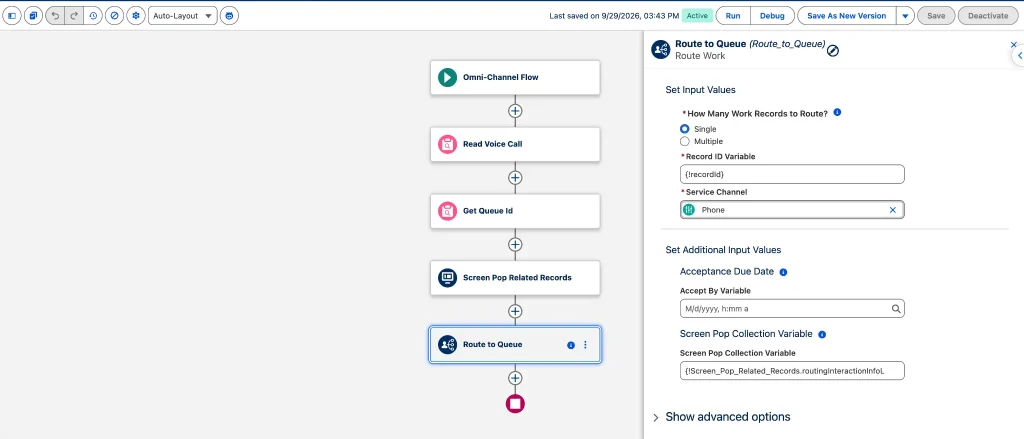
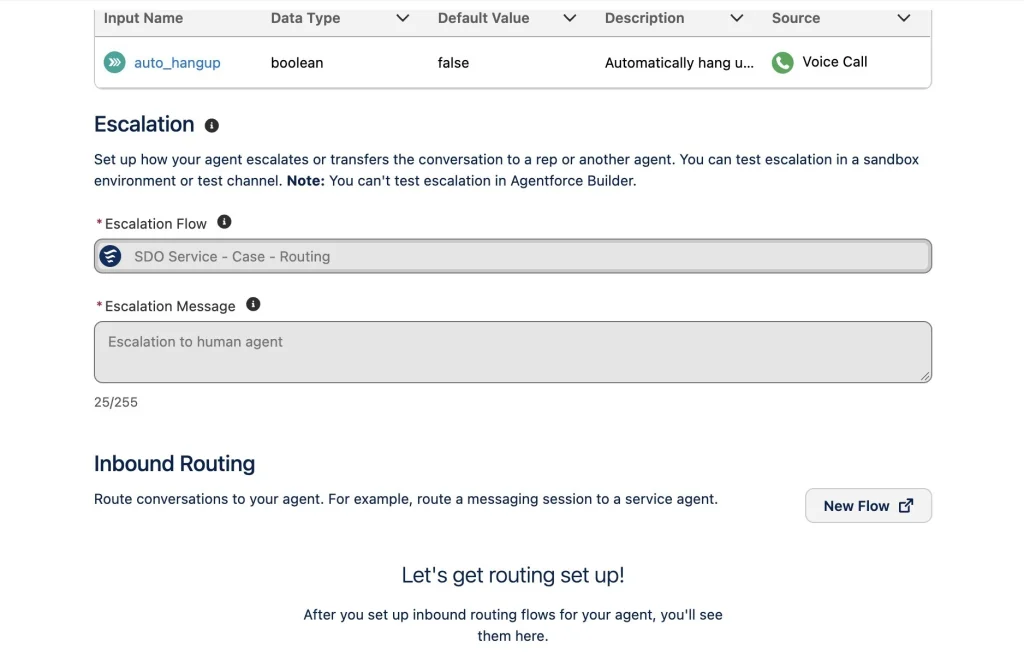
With your infrastructure in place, open your newly created Voice Agent in Agentforce. Under Connections, add Telephony and assign your escalation flow. Don’t forget to commit a version of your agent to generate its Agent ID for inbound routing.
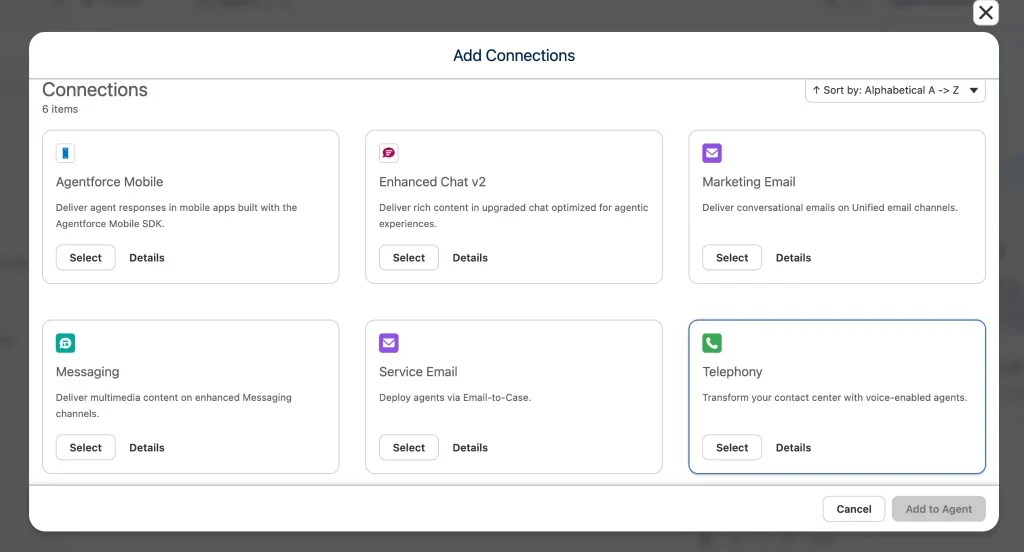
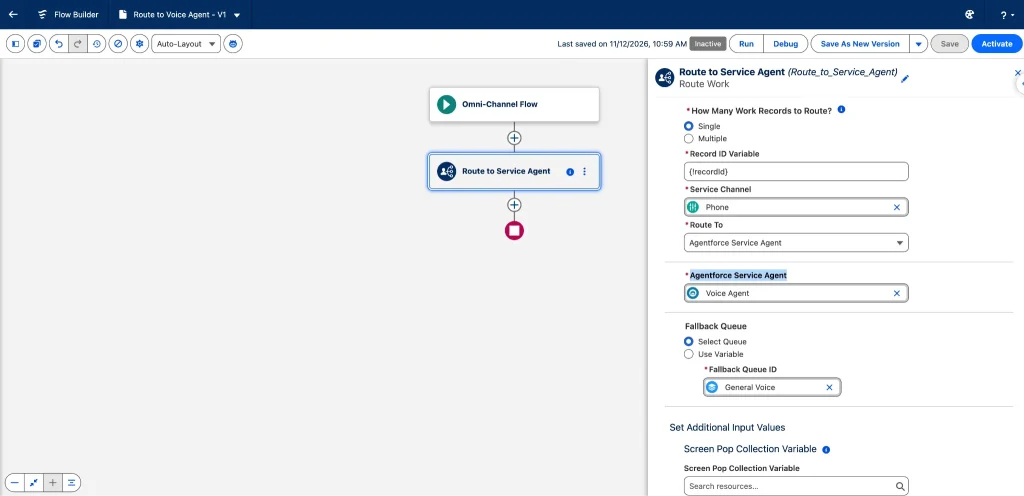
Next, create an Omni-Channel Flow to direct inbound calls to Agentforce:
- Define an input text variable recordId to catch incoming voice call
- Add a Route Work action configured for the Phone service channel and your Agentforce Service Agent.
- Set the fallback queue for human transfers, then save and activate the flow.
Finalize Agentforce Voice Setup
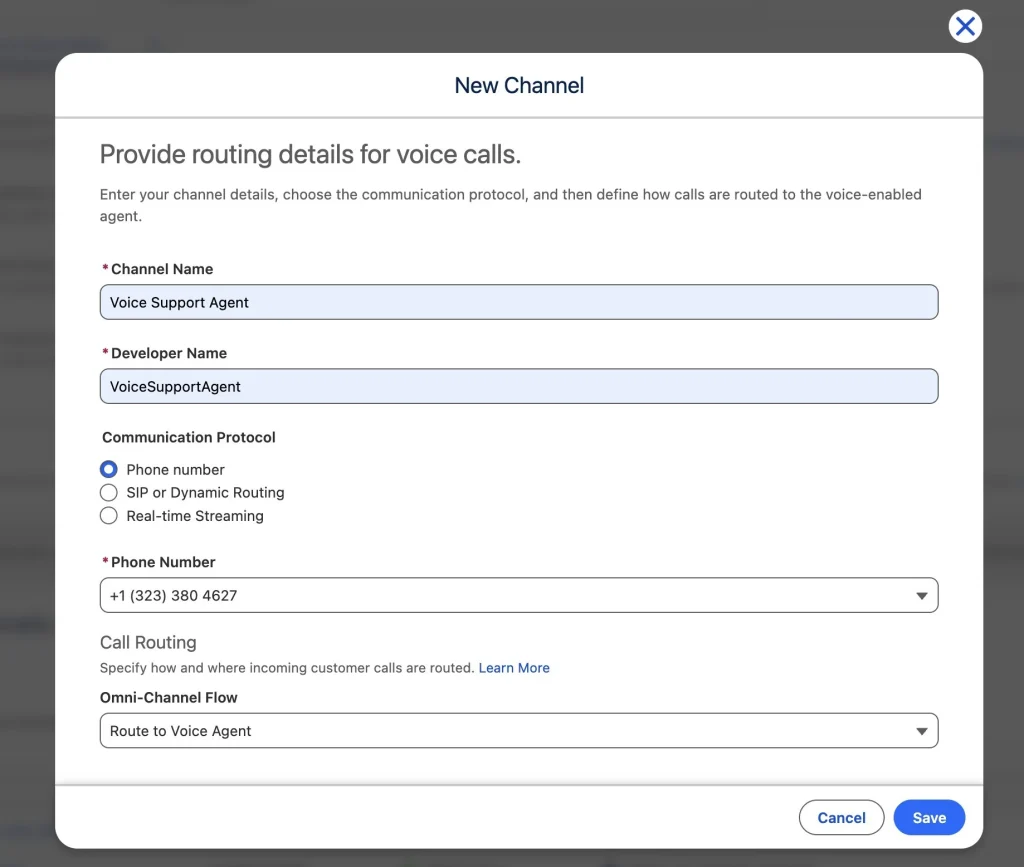
To finish up, navigate to Setup → Agentforce Voice Setup. Under the PSTN tab, map your procured phone number directly to the Omni-Channel flow you just created, and click Save. Your voice agent is now ready to handle live calls!
Conclusion
Agentforce Voice offers a powerful, intelligent voice solution that integrates seamlessly with your existing contact center infrastructure to automate routine inquiries and elevate customer satisfaction. By deploying conversational AI agents alongside your human representatives, businesses can streamline call routing, accelerate issue resolution, and deliver exceptional service at scale. Take the next step today to transform your customer support experience with Agentforce Voice.
Explore Further Resources
Ready to dive deeper into custom configurations? Check out the official Salesforce documentation below:
- Overview: Agentforce Voice Guide
- Step-by-Step: Create a Voice-Enabled Agent
- Telephony Integration: Connect Service Agent to Telephony
- Key Considerations: Agentforce Voice Considerations
- Additional settings: