How It Works in Salesforce
Step 1: Capture IP in LWC
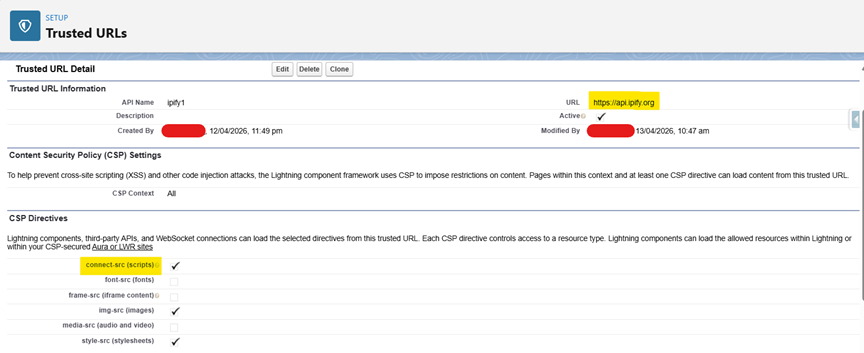
The LWC component calls an external API:
https://api.ipify.org?format=json
LWC HTML Code:
<template>
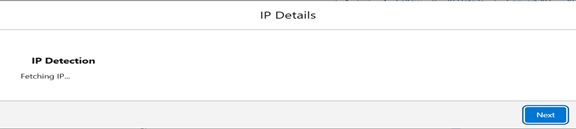
    <lightning-card title="IP Detection">
        <p>Fetching IP...</p>
    </lightning-card>
</template>
LWC JS Code:
import { LightningElement, api, track } from 'lwc';
import { FlowAttributeChangeEvent } from 'lightning/flowSupport';
export default class ipCapture extends LightningElement {
    @api ipAddress;
    @track isLoaded = false;
    connectedCallback() {
        this.fetchIP();
    }
    fetchIP() {
        fetch('https://api.ipify.org?format=json')
            .then(response => response.json())
            .then(data => {
                console.log('IP fetched:', data.ip);
                this.ipAddress = data.ip;
                // send value to flow
                this.dispatchEvent(
                    new FlowAttributeChangeEvent('ipAddress', this.ipAddress)
                );
                this.isLoaded = true; // enable UI
            })
            .catch(error => {
                console.error('Fetch failed:', error);
                this.ipAddress = 'NOT_AVAILABLE';
                this.dispatchEvent(
                    new FlowAttributeChangeEvent('ipAddress', this.ipAddress)
                );
                this.isLoaded = true;
            });
    }
    @api
    validate() {
        if (!this.isLoaded || !this.ipAddress) {
            return {
                isValid: false,
                errorMessage: 'Please wait, fetching IP address...'

            };
        }
        return { isValid: true };
    }
}
LWC XML Code:(Important for Flow)
<isExposed>true</isExposed>
    <targets>
        <target>lightning__FlowScreen</target>
    </targets>
    <targetConfigs>
        <targetConfig targets="lightning__FlowScreen">
            <property name="ipAddress" type="String" role="outputOnly"/>
        </targetConfig>
    </targetConfigs>
Step 2: Send IP to Flow
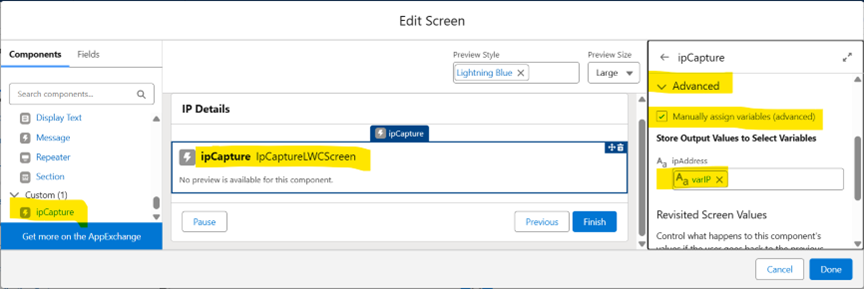
The fetched IP is stored in a Flow variable (ipAddress).
Step 3: Call Apex from Flow
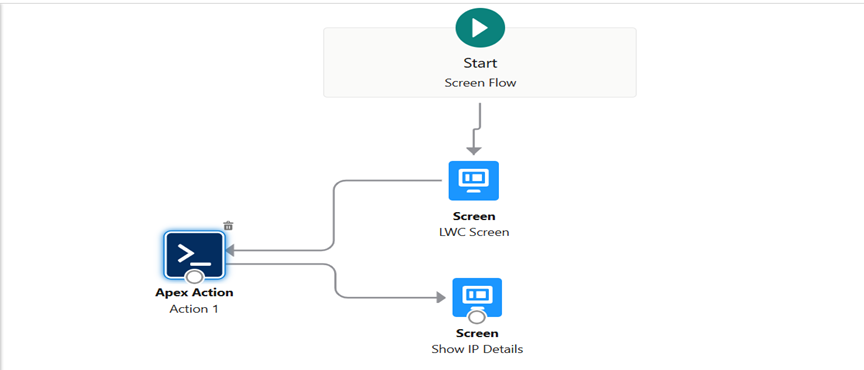
IPDetectionService.getIPDetails
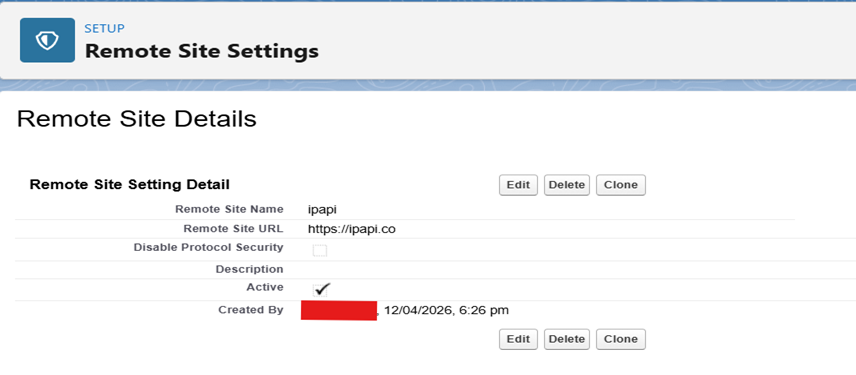
Step 4: Call External API in Apex
https://ipapi.co/{IP}/json/
Apex Code:
public with sharing class IPDetectionService {
public class IPResult {
@InvocableVariable(label='IP')
public String ip;
@InvocableVariable(label='Country')
public String country;
@InvocableVariable(label='City')
public String city;
}
@InvocableMethod(label='Get IP Details')
public static List<IPResult> getIPDetails(List<String> input) {
List<IPResult> results = new List<IPResult>();
// STEP 1: Get IP from Flow (LWC)
String ip = (input != null && !input.isEmpty()) ? input[0] : null;
// If no IP received
if (String.isBlank(ip)) {
IPResult r = new IPResult();
r.ip = 'NOT_AVAILABLE';
r.country = 'UNKNOWN';
r.city = 'UNKNOWN';
results.add(r);
return results;
}
try {
// STEP 2: Call ipapi
HttpRequest req = new HttpRequest();
req.setEndpoint('https://ipapi.co/' + ip + '/json/');
req.setMethod('GET');
req.setTimeout(5000);
Http http = new Http();
HttpResponse res = http.send(req);
if (res.getStatusCode() == 200) {
Map<String, Object> data =
(Map<String, Object>) JSON.deserializeUntyped(res.getBody());
// STEP 3: Map response
IPResult r = new IPResult();
r.ip = ip;
r.country = (String) data.get('country_name');
r.city = (String) data.get('city');
results.add(r);
} else {
IPResult r = new IPResult();
r.ip = ip;
r.country = 'API_ERROR';
r.city = 'API_ERROR';
results.add(r);
}
} catch (Exception e) {
IPResult r = new IPResult();
r.ip = ip;
r.country = 'ERROR';
r.city = 'ERROR';
results.add(r);
}
return results;
}
}
Step 5: Parse and Return Response
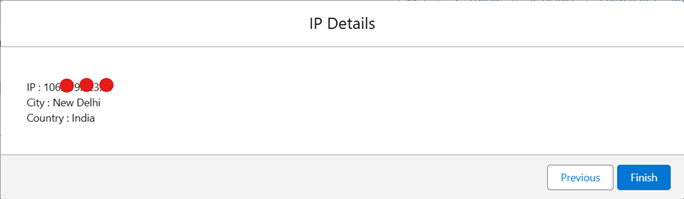
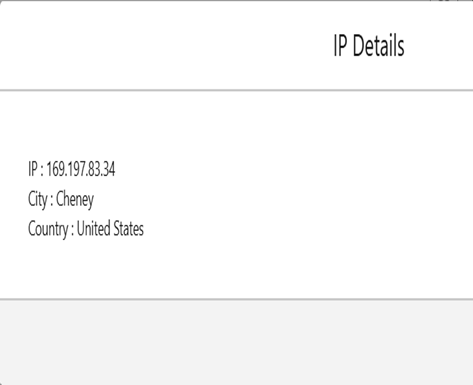
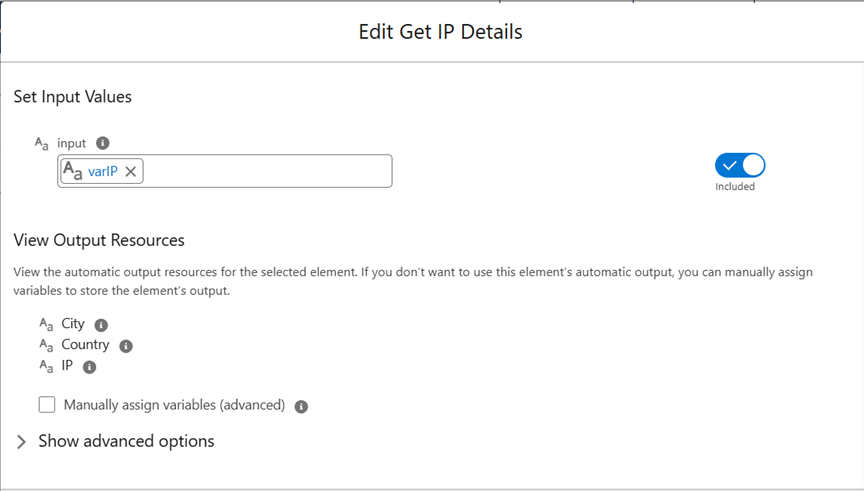
IP, Country, City are returned.
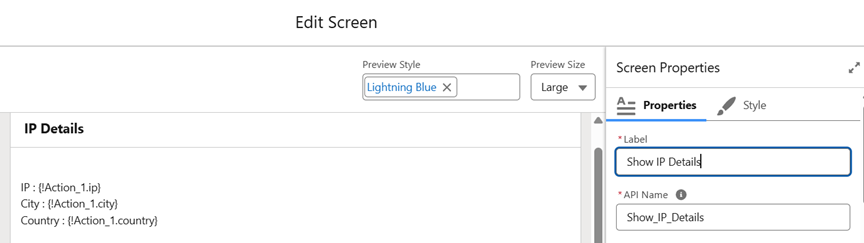
Step 6: Display Data in Flow
Flow displays IP, Country, City.