Latest Update : 

Salesforce Spring ’26 New Feature: Editable Data Tables for Flow

February 06, 2026
437 Views
Salesforce Spring ’26 New Feature: Editable Data Tables for Flow
Summarize this blog post with:

Editable Data Tables for Flow arrived quietly in Salesforce Spring ’26, and they changed everything. Spring ’26 looked settled, until it wasn’t. While going through the release preview, one update quietly stood out: the Data Table component inside Screen Flow could suddenly be edited. For anyone who builds Flows regularly, this felt like a long-pending wish finally coming true.

That excitement didn’t last long. The feature disappeared almost immediately after launch, leaving many wondering if it was ever meant to ship.

Now it’s back again. And this time, it feels intentional. Let’s take a proper look at what the editable Data Table brings to Screen Flows in the Spring ’26 release and why it matters so much.

A Late Reveal That Changed Everything

There’s a well-known pattern in product launches where the most impactful update is saved for the end. Steve Jobs famously used this approach with his “One more thing” moment, introducing innovations like the iPod and iPhone only after the main presentation seemed complete.

Salesforce appears to have followed a similar rhythm with Spring ’26.

Some of the most meaningful enhancements surfaced late in the preview window, and one of them was the upgraded Data Table for Flow. For a short time after preview orgs were enabled, admins noticed that records could be edited directly inside the standard  Table component.

The response was instant. When the feature was pulled back, the disappointment across the Salesforce community was obvious. Its return has been met with even more enthusiasm because this is not just a small improvement; it changes how Flows are built.

How Editable Data Tables Work in Screen Flows?

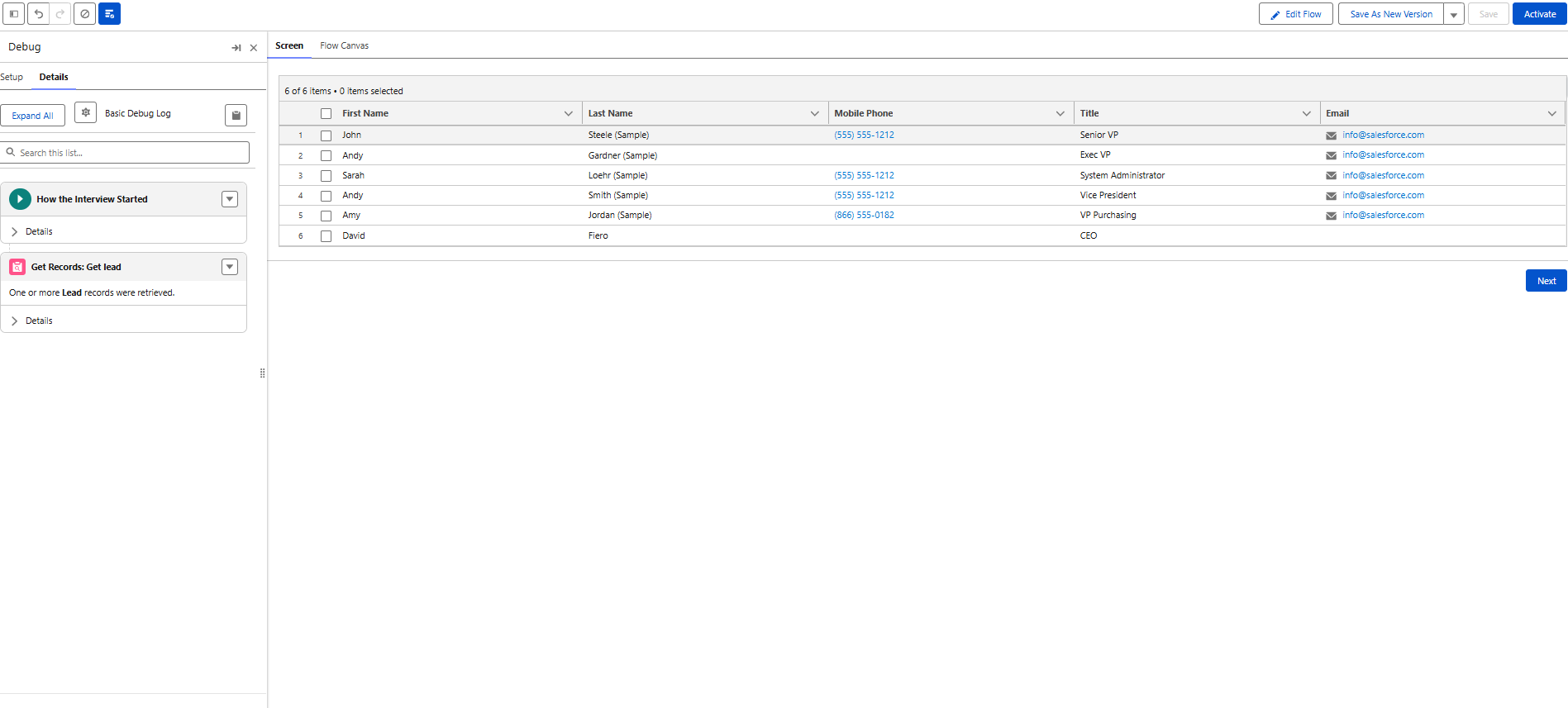
To understand why this update matters so much, let’s look at a typical case. A team needs a Flow to display for users all Leads assigned to them, with inline editing to update details right from the list.-

Until now, this requirement pushed builders toward third-party components. The native Data Table could display data, but it couldn’t handle edits. Spring ’26 removes that limitation.

Using a standard Screen Flow, records can now be shown and updated in the same place, without custom code or external tools.

Confident releases start with integrated backups. Build backups into your pipeline so every release has a safety net.

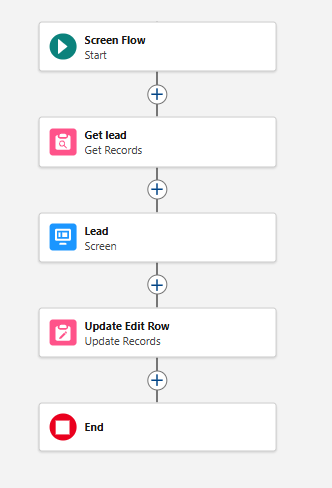
The Flow setup itself remains familiar. A Screen Flow is created, and a Get Records element pulls Leads owned by the running user. Since this is standard practice, we’ll skip over the basics and focus on what’s new.

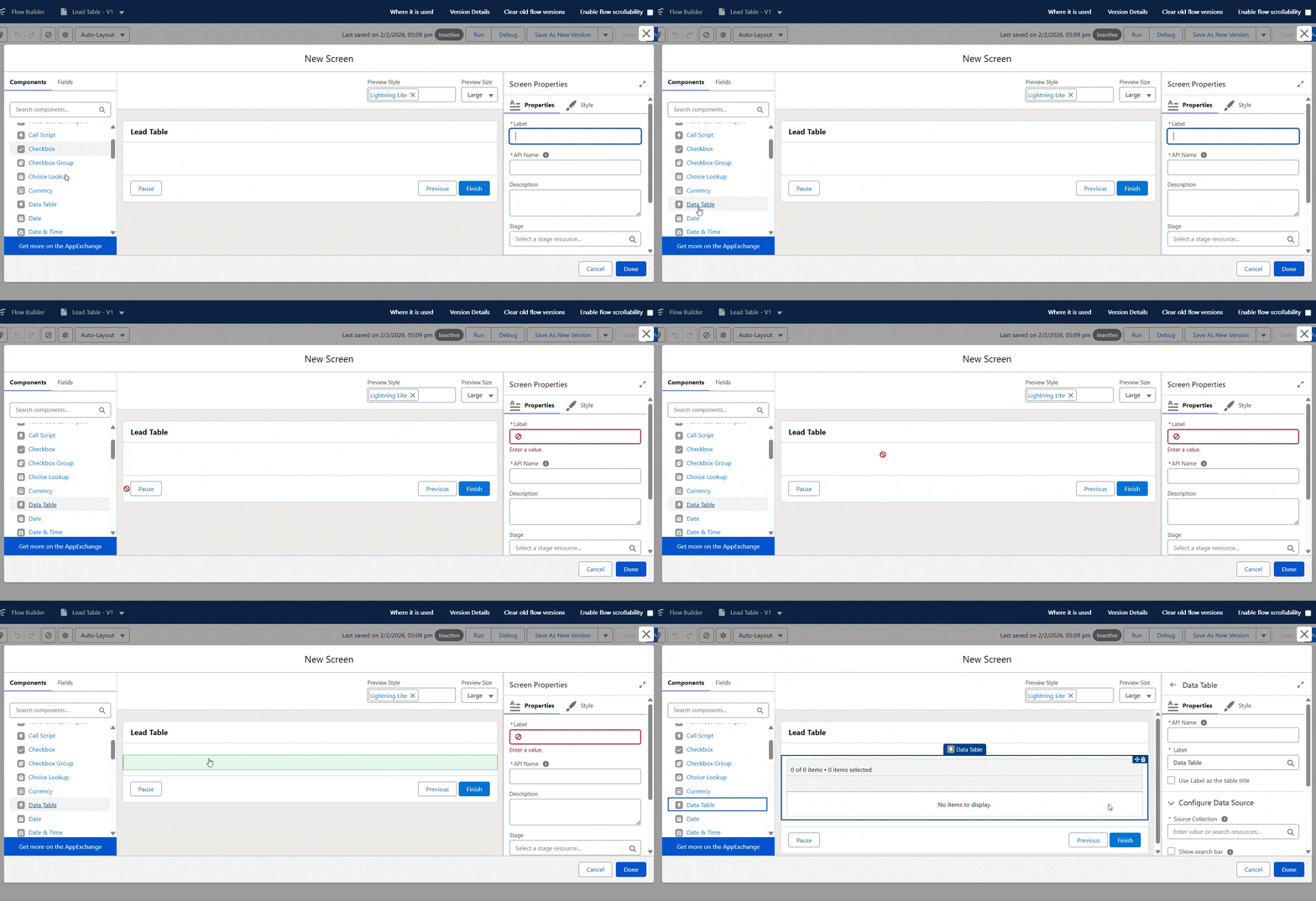
The Data Table component is added to the Screen from the Components panel. There’s no separate or special version; it’s the same Data Table that’s always been available.

GIF 11

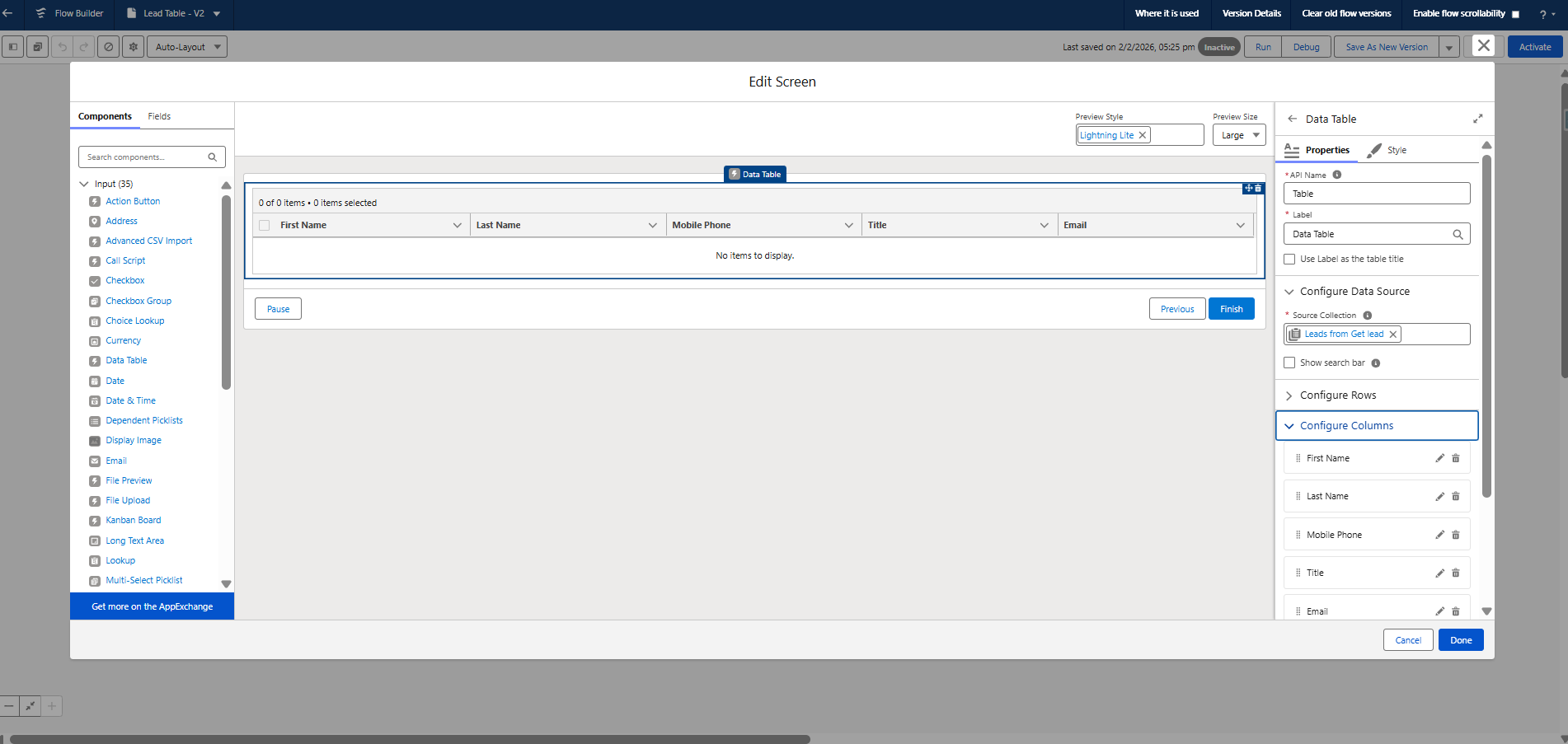
After choosing the Source Collection and giving your table a name, you can select the fields to display in the table using the Configure Columns section. In this example, the table has First Name, Last Name, Email, Mobile and Phone.

2
So far, everything looks exactly like earlier Flow builds.

What’s New Inside the Data Table Configuration?

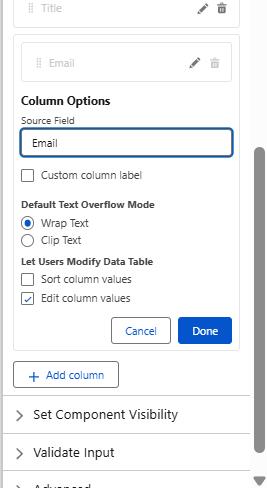
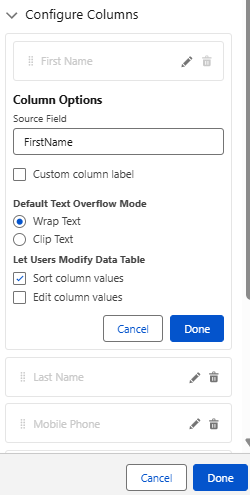
The difference appears when you open the settings for an individual column. Under the “Let Users Modify Data Table” options, new controls are available.

Each column can now be configured to allow sorting or inline editing. Enabling editing for a field like First Name instantly changes how the table behaves.

image

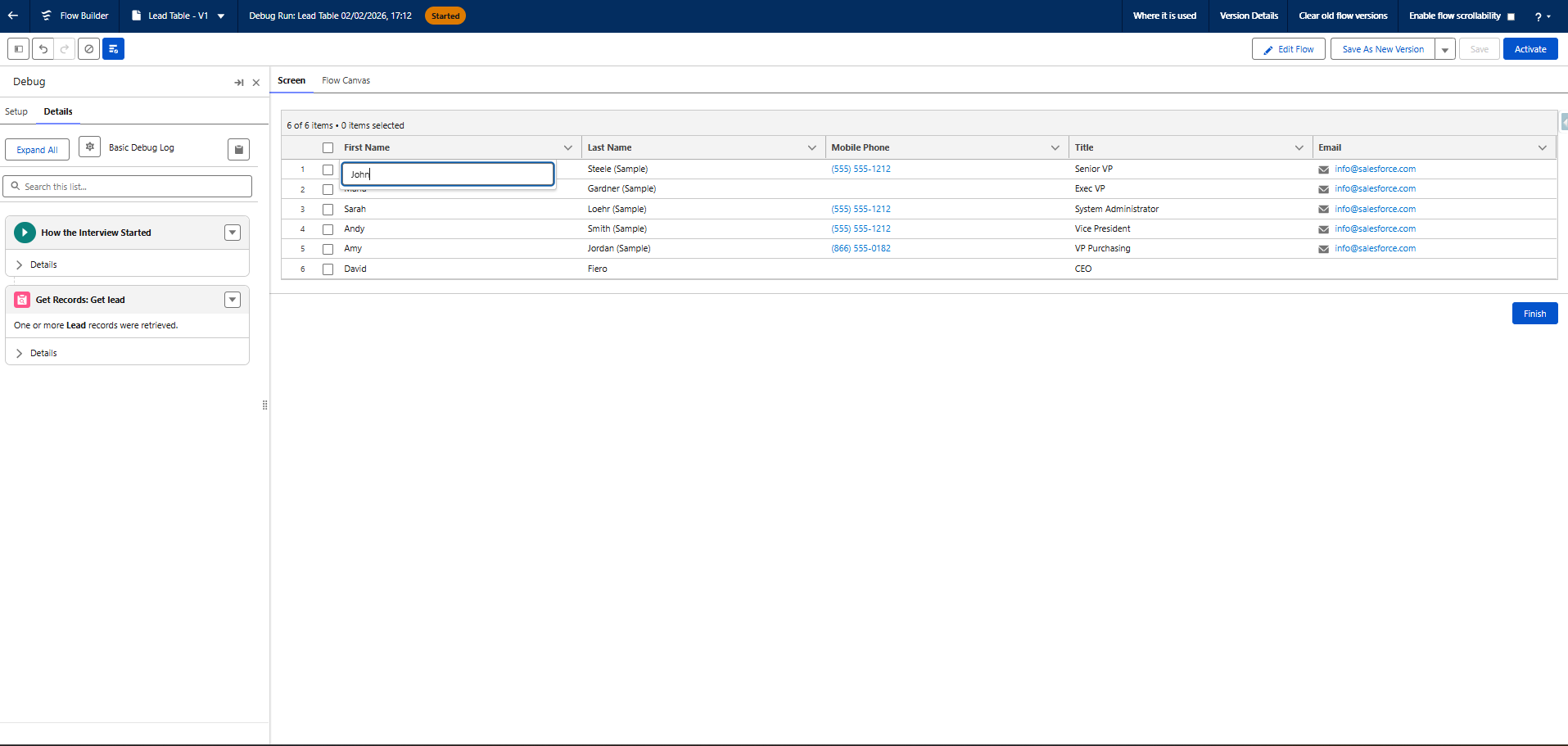
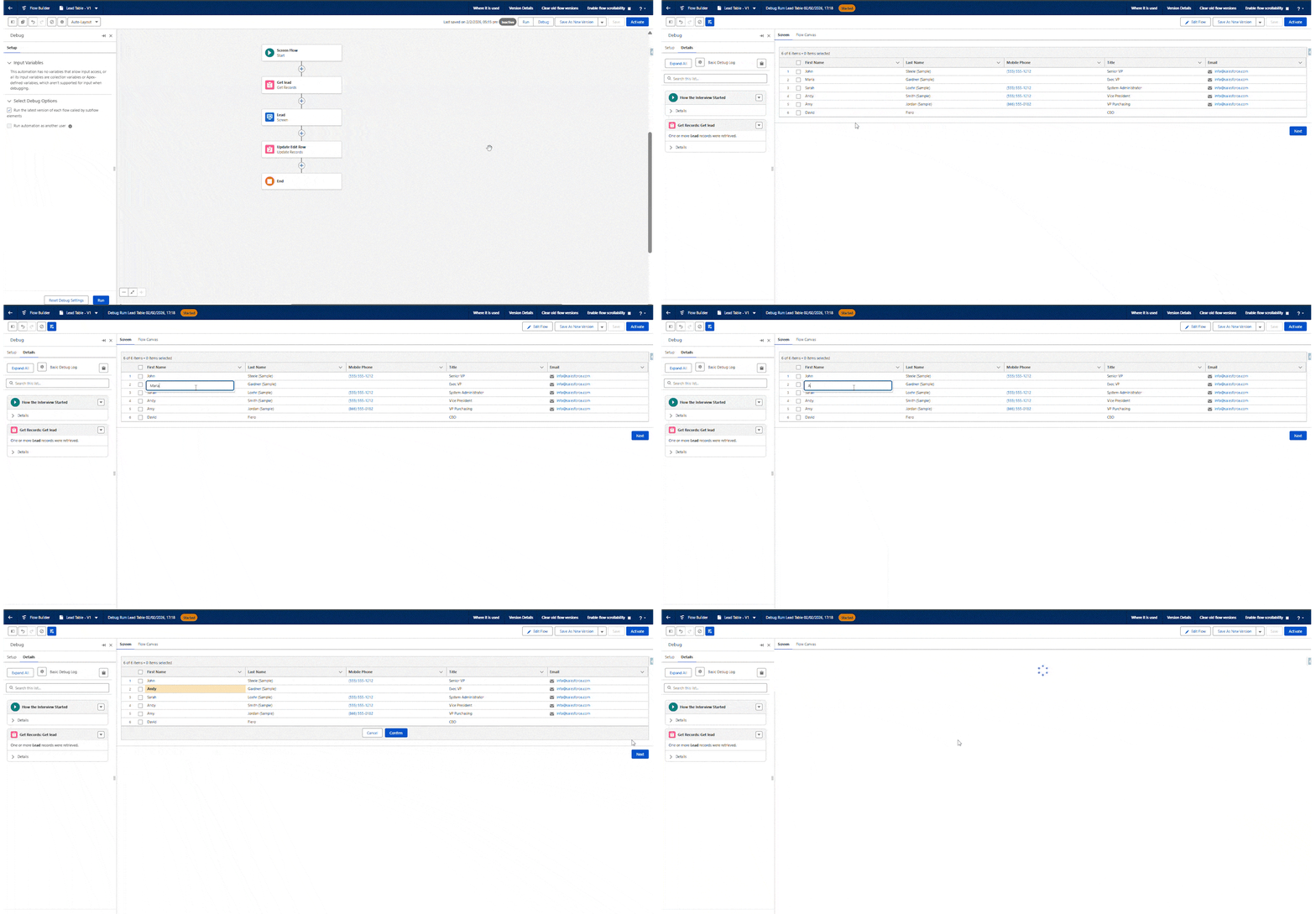
Once the Flow is saved and tested, users can update values directly inside the table. The interaction feels smooth and natural. However, those changes aren’t saved automatically.

4

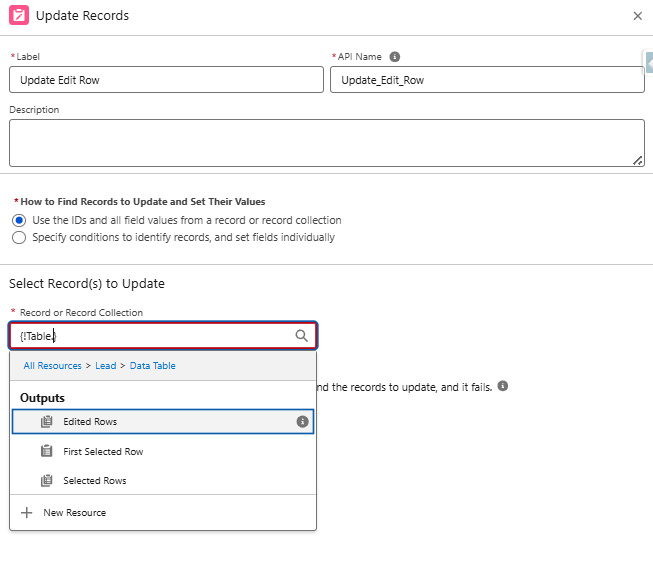
To store the updates, an Update Records element is added. The Data Table component provides multiple output collections, including one that contains only the rows that were edited.

5.1

Using this Edited Rows collection ensures that only modified records are updated. Other outputs, such as selected rows, continue to work exactly as they always have.

6

After connecting this logic, running the Flow again confirms that the updates persist as expected.

GIF 21
At this stage, relationship fields are still read-only. Fields like Owner cannot be changed in-line yet, though this may evolve in future releases.

Keeping Your Org Stable While Making Changes

Editing isn’t the only improvement included in this update. Sorting can also be enabled at the column level.

By returning to the Configure Columns section and enabling sorting for a field like Last Name, users can rearrange records directly within the table.

8

After saving and testing the Flow again, sorting works seamlessly, especially helpful when working with larger record sets.

9

Where Editable Data Tables Make the Biggest Impact?

This improvement enables several useful scenarios across teams. Sales users can view and edit Opportunities or Leads in one place, without having to open each one individually.

Service teams can work through assigned Cases and update key fields such as status or priority while staying focused on their queue.

Marketing teams can simplify Campaign Member management, including updating multiple records and making related Contact changes in one place. All of this is now possible using native Flow functionality.

Summary

The editable Data Table is one of the most impactful additions in the Spring ’26 release. It finally removes a long-standing limitation that prevented users from updating records right from Screen Flows, and all that without introducing any complexity or needing custom development.

This upgrade makes it much easier to use and makes everyday workflows much faster. For many orgs, it’s also an opportunity to go back and revise older Flows to replace third-party components with native ones, simplifying automation, making it easier to maintain, and keeping it fully aligned with the Salesforce platform.

How useful was this post?

Click on a star to rate it!

Average rating 0 / 5. Vote count: 0

No votes so far! Be the first to rate this post.

Written by

Dev Anand

A dynamic engineer, innovative thinker, initiative taker and multi technology professional with exceptional logical, analytical and management skills possess a decade experience in Software Development and Salesforce CRM Solutioning. Enrich experience in converting business needs to Salesforce Experience. Worked on multiple RFPs and POCs. 50+ Integrations between Salesforce and other Platforms. Experience in LWC, Aura, Apex, JS, HTML, PHP, WordPress, Magento and many others.

Get the latest tips, news, updates, advice, inspiration, and more….

Contributor of the month
contributor
Garima Chaturvedi

Marketing lead | CDP lead | SFMC | Martech | Automation | Cert. SF Data cloud consultant

...
Categories
...
Boost Your Brand's Visibility

Want to promote your products/services in front of more customers?

...

Leave a Reply

Your email address will not be published. Required fields are marked *